


Not every school exam happens online. Many schools still use in person exams, paper based tests, oral assessments, practical demonstrations, lab evaluations, classroom presentations, and supervised written work. Even when Moodle is the main learning platform, schools often need assessment workflows that happen outside the browser.
This does not mean Moodle has to be left out of the process. Moodle can still act as the central place for exam information, grade recording, feedback, completion tracking, and reporting. The key is understanding what Moodle can do well, what it cannot do by itself, and how to choose the right Moodle tools for each type of offline or in person assessment.
For many schools, the goal is not to make every exam digital. The goal is to make every exam result easier to manage, verify, report, and include in the student learning record.
I am Director of Rahab Ministry (a program of Youth Unlimited). We are impressed with Mindfield’s IT specialists in helping us redesign a website (Rahab.yugta.ca) and their ongoing support. They were responsive and helped us think ahead instead of waiting for us to tell them what needed to be done. We will continue to look forward to their support.
Joanna Yee
Owner, Student First Media Inc.
review Source: Google Reviews
Outline
-
Why Schools Still Need Offline and In Person Exam Workflows
-
What Moodle Can and Cannot Do for Offline Exams
-
Using Moodle Tools to Manage In Person and Paper Based Assessments
-
Tracking Completion for Offline Exams
-
Reporting on Exam Results in Moodle
-
Common Mistakes Schools Should Avoid
-
Turning Storage Cleanup Into a Long Term Moodle Strategy
-
Frequently Asked Questions(FAQs)
Why Schools Still Need Offline and In Person Exam Workflows

Online quizzes and digital submissions are useful, but schools still need offline and in person exams for many practical reasons.
Some assessments work better in a controlled physical environment. Final exams, placement tests, certification assessments, entrance exams, and other high stakes evaluations may require supervised seating, printed exam papers, invigilators, controlled access to materials, or identity checks.
Other assessments are difficult to complete fully online. Students may need to:
- Write answers or calculations by hand
- Draw diagrams
- Perform a physical skill
- Complete a laboratory task
- Give an oral presentation
- Demonstrate a practical competency
- Participate in an observed classroom activity
These assessments may take place in a classroom, laboratory, workshop, clinical setting, or exam hall.
Schools may also use paper based exams because of device availability, internet reliability, accessibility needs, student age, academic policy, or established examination procedures. For younger learners, printed tests may be easier to manage. For large groups, paper based multiple choice exams may still be faster to administer. In some subjects, handwritten work is also an important part of the assessment.
The challenge is not whether offline exams should exist. The challenge is how to keep offline exam results organized, searchable, reportable, and connected to the rest of the student record. This is where Moodle can help.
What Moodle Can and Cannot Do for Offline Exams
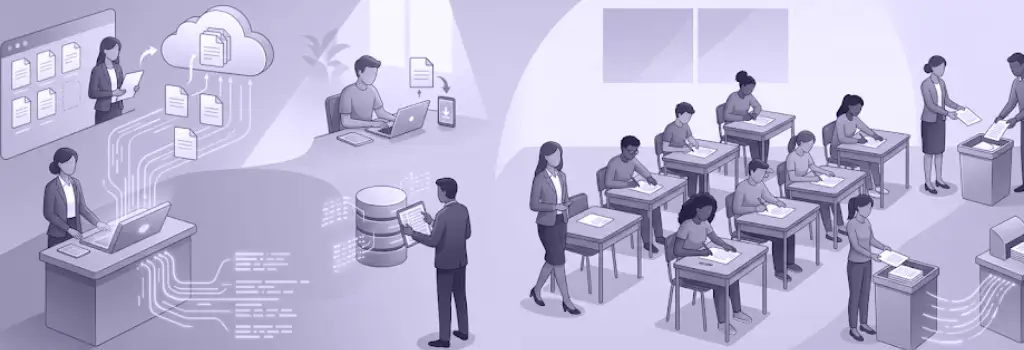
It is important to separate exam delivery from exam management.
The exam may happen in a classroom, laboratory, workshop, or examination hall. Moodle can then manage the information and records connected to that exam.
What Core Moodle Can Do
Using standard Moodle features, schools can:
- Publish the exam date, time, room, and instructions
- Explain what students need to bring
- Provide revision materials
- Create assessment records
- Enter grades manually
- Add written feedback
- Use rubrics and marking guides
- Calculate weighted course totals
- Track required activities
- Record passing and failing results
- Identify missing assessments
- Control when results become visible
- Export grades
- Generate completion and progress reports
- Connect assessment results to course completion
Teachers can use tools such as:
- The Moodle gradebook
- Manual grade items
- Assignment activities
- Quiz activities
- Grade categories
- Activity completion
- Course completion
- Custom reports
- Offline quiz plugins
What Core Moodle Cannot Do by Itself
Core Moodle does not provide every function required for a complete offline or remotely supervised exam process.
For example, Moodle cannot independently:
- Verify a student’s government issued identification
- Compare a student’s face with an identity document
- Supervise students inside a physical exam room
- Check students for prohibited materials
- Manage classroom seating arrangements
- Collect and store physical exam papers
- Scan handwritten essays automatically
- Confirm who is sitting behind a computer without an additional process
- Replace trained invigilators
- Replace the school’s academic integrity policies
- Conduct full remote proctoring by itself
These responsibilities may still require School staff, Administrative procedures, Examination policies, Physical security controls, External software or Third party Moodle plugins or integrations
Adding Identity Verification and Proctoring Through Third Party Tools
Although core Moodle does not include advanced identity verification or complete remote proctoring, third party plugins and integrated services can add these capabilities.
Depending on the selected provider, a school may be able to add:
- Student identity document checks
- Facial matching
- Webcam monitoring
- Live remote invigilation
- Recorded proctoring sessions
- Browser activity monitoring
- Screen recording
- Automated suspicious behaviour flags
- Room scans
- Exam session recordings
- Integration with Moodle quizzes
- Verification before an exam attempt begins
Some schools may also use Safe Exam Browser or another secure browser solution to help restrict access to:
- Other websites
- Applications
- System functions
- Copy and paste tools
- Unauthorized resources
However, a secure browser does not provide the same functions as identity verification or human supervision. Schools may need to combine several tools and procedures.
Before using any third party identity verification or proctoring solution, schools should review:
- Moodle version compatibility
- Data privacy requirements
- Where recordings and identity documents are stored
- Student consent requirements
- Accessibility needs
- Browser and device compatibility
- Licensing costs
- Technical support
- Data retention policies
- False positive review procedures
- The process for students who cannot use the technology
A strong exam workflow may therefore combine:
- Moodle for exam information and record management
- Third party plugins for identity verification or proctoring
- School staff for supervision and exception handling
- Clear academic policies for misconduct, privacy, and appeals
Using Moodle Tools to Manage In Person and Paper Based Assessments

Moodle gives schools several ways to manage assessments that happen outside the browser. The best option depends on the type of exam, how the work is completed, and how the school wants to record the result. For offline and in person exams, the most useful Moodle tools are usually the gradebook, manual grade items, assignments, and quizzes.
Using Moodle Gradebook for In Person and Paper Based Exams
The Moodle gradebook is often the most important tool for offline exams. Even when the exam happens on paper, the result can still be recorded in Moodle and included in the final course grade.
For example, a school course may include a combination of online and offline assessments:
- Final Paper Exam: 40 percent
- In Class Essay: 20 percent
- Oral Presentation: 20 percent
- Online Practice Quiz: 10 percent
- Participation: 10 percent
Moodle can organize these items into grade categories, apply the correct weightings, calculate totals, and display results to teachers and students. This allows schools to maintain one central grade record instead of spreading results across spreadsheets, paper records, email messages, and local files.
Using the Moodle gradebook for offline exams also helps administrators review results more easily. They can identify which students have received grades, which results are missing, who may need a retake, and how each offline assessment contributes to the final course outcome.
Using Manual Grade Items for Paper Based Exams
Manual grade items are one of the simplest ways to record paper based exam results in Moodle. The student completes the exam offline, the teacher marks it outside Moodle, and the final score is entered into the gradebook.
This works well for:
- Paper based final exams
- Handwritten tests and essays
- Oral examinations
- Practical demonstrations
- Laboratory assessments
- Placement tests
- Makeup exams
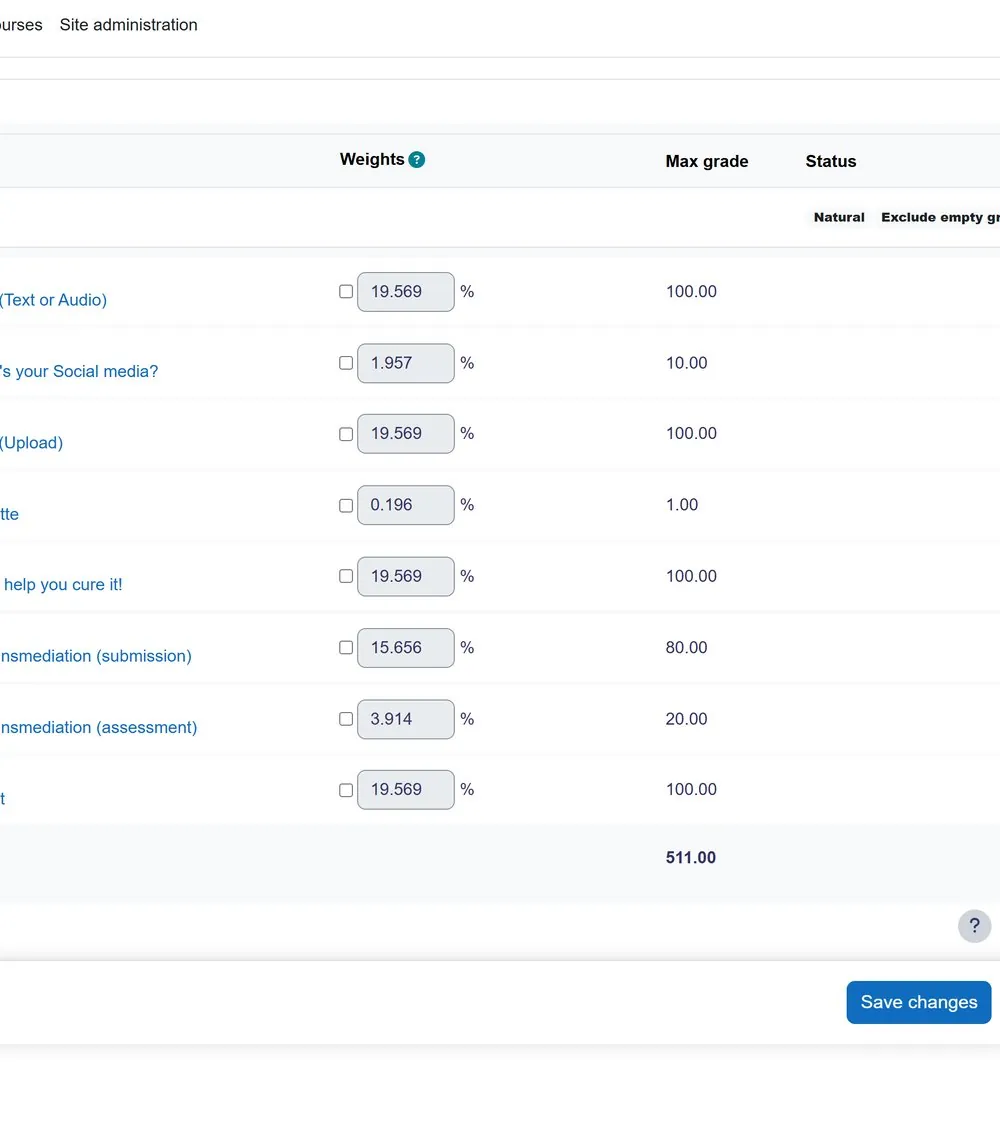
To use this workflow, the teacher or administrator creates a grade item in the Moodle gradebook. The item can have a name, maximum grade, passing grade, category, weighting, and visibility setting. After the exam is marked, the teacher enters each student’s score manually.
This approach is useful because the assessment does not require an online submission. The Moodle item exists mainly to record the result. Teachers can also add feedback, hide grades while marking is still in progress, and release the results after moderation or approval.
Using Assignments for In Person Assessments
The Moodle Assignment activity can support offline and in person assessments even when students do not upload a file.
For example, a teacher might create an assignment called:
- Oral Presentation
- In Class Essay Exam
- Laboratory Practical Assessment
- Skills Demonstration
- Portfolio Review
The assignment page can explain when and where the assessment will happen, what students need to prepare, how they will be graded, and when feedback will be available.
After the in person assessment, the teacher can enter the grade and feedback in Moodle. The teacher can also use a rubric or marking guide to make the grading process more consistent.
Assignments are useful when the school needs more structure than a simple manual grade item. They can include instructions, due dates, grading workflows, rubrics, feedback comments, feedback files, group settings, and completion conditions.
This is especially helpful for presentations, interviews, performance assessments, observed practical work, laboratory evaluations, and classroom based tasks.
Using Quizzes for Practice, Hybrid, and Controlled In Person Exams
Moodle quizzes are mainly used for online assessments, but they can still support in person and offline exam workflows in several ways.
A teacher may use a Moodle quiz as a practice exam before a paper based final. This gives students an opportunity to review the format, test their knowledge, and receive automatic feedback before the formal assessment.
A school may also use a hybrid model. For example, students might complete a Moodle quiz for multiple choice questions and then complete a written response section on paper. The two results can be included in the Moodle gradebook as separate items.
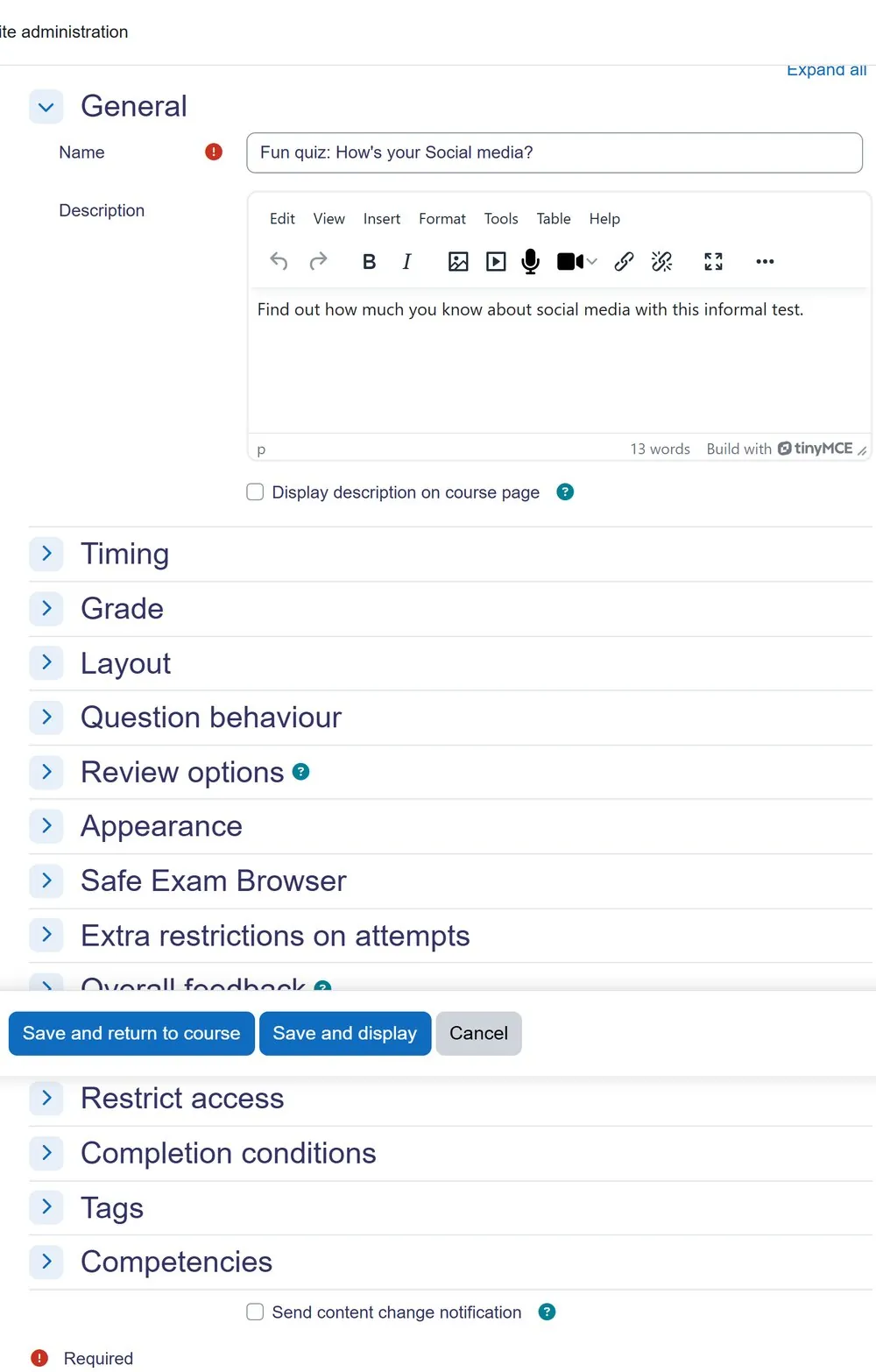
For controlled in person computer based exams, Moodle quiz settings can help schools manage access and timing. Teachers can configure:
- Open and close times
- Time limits
- Quiz passwords
- Attempt restrictions
- Review options
- Network address restrictions
- Safe Exam Browser requirements
These settings can improve exam control, but they should not be treated as a complete replacement for supervision. For formal in person exams, schools still need clear procedures, trained invigilators, technical preparation, and a backup plan.
Using Offline Quiz or Scanning Workflows for Paper Based Multiple Choice Exams
For schools that run large paper based multiple choice exams, manual grade entry can take a significant amount of time. In these cases, schools may consider a scanning or offline quiz workflow.
An offline quiz plugin may allow teachers to:
- Create multiple choice questions
- Generate printed question sheets and answer forms
- Produce different versions of an exam
- Scan completed answer sheets
- Process the results
- Return grades to Moodle
Some schools may also use external optical mark recognition tools and import the results into Moodle using a CSV file.
This type of workflow is most useful when the exam format is standardized and the answers can be processed automatically. It may not be suitable for handwritten essays, diagrams, extended responses, or practical assessments that require human judgment.
Before using this approach for a real exam, schools should test the complete process, including printing, scanning, student identification, data matching, grade import, review settings, and error handling. A small pilot test can prevent major issues during a high stakes examination period.
Tracking Completion for Offline Exams

Grades are important, but schools also need to know whether students completed the required exam activity.
Moodle completion tracking can help schools track whether an offline or in person assessment has been completed. Depending on the activity type and settings, completion may be based on receiving a grade, meeting a passing grade, submitting work, viewing the activity, or being manually marked complete by a teacher.
For offline exams, completion tracking can be used in several ways. A manual grade item or assignment can be marked complete once a grade is entered. A practical assessment can be manually marked complete after the teacher confirms the student attended and finished the task. A required exam activity can also be connected to course completion rules.
This is useful for schools that need to track certification requirements, course progress, retakes, eligibility, or missing assessments. For example, a student may need to complete an in person safety exam before moving to the next course section. Moodle can help show whether that requirement has been met.
Completion tracking also helps students see what they still need to finish. Even if the actual exam happened on paper, Moodle can show the student that the requirement has been completed.
Reporting on Exam Results in Moodle

Once offline exam results are entered into Moodle, schools can use reports to review student progress and assessment outcomes.
Teachers can use the gradebook to view marks by student, activity, category, and course total. They can export results, review missing grades, add feedback, and check whether grades are visible to students. Administrators can use reports to identify students who missed an exam, did not meet the passing grade, or still need a retake.
Completion reports can also help schools track whether students have finished required assessments. This is especially useful for programs where exam completion is tied to certification, course progression, compliance training, or graduation requirements.
For example, a program coordinator may need to answer questions such as:
- Which students completed the final paper exam?
- Which students passed the in person practical assessment?
- Which students missed the exam?
- Which students need a retake?
- How did the paper exam affect the final course grade?
- Are all required assessments complete before certificates are issued?
Without Moodle, this information may be spread across paper files, spreadsheets, teacher notes, and email messages. With Moodle, schools can bring the results into one central system and make reporting much easier.
Common Mistakes Schools Should Avoid

One common mistake is trying to force every offline exam into a Moodle quiz. If students are not actually taking the assessment online, a quiz may not be the best tool. A manual grade item or assignment may be simpler and easier to manage.
Another mistake is leaving offline grades outside Moodle for too long. Spreadsheets can work temporarily, but they can create version control problems, privacy concerns, and reporting gaps. If Moodle is the school’s main learning platform, offline exam results should be entered into Moodle as soon as the marking process is complete.
Schools should also avoid releasing grades too early. Paper exams may require moderation, second marking, administrative review, or grade approval. Moodle grade visibility settings should be used carefully so students do not see incomplete or unapproved results.
It is also important to test any scanning, offline quiz, Safe Exam Browser, or grade import workflow before using it for a real exam. A small test with sample students and dummy grades can help identify problems before they affect a full exam group.
Turning Storage Cleanup Into a Long Term Moodle StrategyReporting on Exam Results in Moodle

When Moodle storage becomes difficult to manage, the solution is not always as simple as buying more server space or deleting old files. A Moodle expert can help schools understand where the storage is actually going, whether the growth is coming from course backups, uploaded videos, SCORM packages, old submissions, recycle bin content, or server level files. This makes the cleanup process safer because decisions are based on Moodle structure, course usage, and school retention needs instead of guesswork.
Expert Moodle experts can also help schools move from one time cleanup to long term prevention. That may include reviewing backup settings, improving course copy practices, moving large media to better hosting tools, creating archive rules, and training instructors on better file habits. With the right strategy, schools can keep Moodle organized, reduce hosting pressure, and avoid storage issues becoming a recurring problem every semester.
Frequently Asked Questions (FAQs)
