


Implementing an effective moodle org chart structure is a common challenge for private schools, continuing education providers, and professional associations. Core Moodle excels at managing learning activities and user enrollment but does not natively model complex organizational hierarchies or reporting lines. This architectural gap often leads to difficulties with roll-up reporting, delegated administration, and compliance tracking across departments or member tiers.
This article will explore why Moodle’s core design presents this challenge. It will also outline four strategic routes to integrate organizational structures, detailing the benefits and trade-offs of each approach for your Moodle org chart needs.
Engaged the team for a global retailer application development project. Schedules were consistently met with flexibility to changing scope. Was always impressed with Mindfield’s responsiveness and ability to quickly grasp the problem while offering creative solutions. Applications were of high quality and I wouldn’t hesitate to recommend Mindfield Consulting for any custom development.
Grant R
review Source: Google Reviews
Outline
- The Foundational Challenge: Moodle’s User Model and Organizational Structures
- Navigating Organizational Hierarchy: Four Strategic Routes
- Unlocking Deeper Insights: What an Org Hierarchy Provides
- Strategic Decisions: When to Invest in an Organizational Structure
- Empowering Your Moodle with Organizational Insight
- Frequently Asked Questions (FAQs)
The Foundational Challenge: Moodle’s User Model and Organizational Structures for an Org Chart

Organizations often seek to replicate their internal reporting lines and departmental structures within their learning management system. However, Moodle’s core design is primarily optimized for delivering and tracking learning, not for mirroring complex corporate or educational hierarchies. This fundamental difference creates a significant gap for administrators aiming to implement a functional moodle org chart.
Core Moodle’s Flat User Model
Moodle’s user model is inherently flat, focusing on individual learners and their enrollment in courses. Users are associated with courses directly or through cohorts, which are essentially site-wide or category-wide groups designed for bulk enrollment. For instance, a cohort might represent all students in a specific grade level or all members of a particular professional association chapter.
While useful for managing groups, these cohorts lack any inherent parent/child relationships, departmental attributes, or defined reporting lines.
Cohorts and Roles: Not a Reporting Tree
The concept of a “Manager” in core Moodle is a role assigned at a specific context, such as the system, a course category, or an individual course. This role grants certain capabilities within that context, like editing course content or viewing student grades. However, it does not establish a person-to-person reporting relationship.
A user with a “Manager” role does not automatically “have” direct reports, nor does their status roll up to a higher-level manager. Therefore, Moodle’s native roles and cohorts do not provide the framework for an operational organizational hierarchy.
The Gap for Compliance and Oversight
The absence of a built-in organizational structure can significantly complicate compliance and oversight efforts. For professional associations or regulatory colleges, tracking certification status across an entire division becomes cumbersome. Ensuring all staff in a specific campus department have completed mandatory training also presents challenges.
Without a hierarchical view, administrators must manually compile data from disparate sources or create complex Moodle custom reports for each specific reporting boundary. This process is time-consuming and prone to error, especially in dynamic organizations where staff frequently change roles or departments.
Navigating Organizational Hierarchy: Four Strategic Routes

When facing the need for an organizational hierarchy within Moodle, administrators have several strategic options, each with distinct advantages and considerations. These routes range from leveraging Moodle’s extended ecosystem to implementing custom solutions, catering to different organizational scales and technical capabilities.
Route 1: Moodle Workplace for Integrated Structures
Moodle Workplace is a specialized distribution of Moodle designed for corporate and professional learning environments. It natively incorporates features for managing organizational structures. Specifically, it combines three core components to build a hierarchy:
- Department frameworks: These define the “where” a user operates, allowing for nested departments (e.g., Faculty of Arts > Department of History).
- Position frameworks: These specify the “what” a user’s function is (e.g., Professor, Dean, Administrator).
- Job assignments: These tie a user to a specific position within a department, with start and optional end dates. A single user can hold multiple job assignments.
Reporting lines automatically emerge from these hierarchies. A user in a higher position within the same department framework is automatically recognized as the manager of those below them. This integrated approach allows for dynamic rules and reporting based on the organizational structure.
Moodle Workplace is not open source software; it is licensed and available only through Moodle Premium Certified Partners and Service Providers. This means it involves a partnership and service agreement, with pricing based on hosting and required services. Therefore, it represents a significant investment but offers a robust, natively integrated solution for complex organizational needs.
For a deeper understanding of how Workplace compares to core Moodle, you might explore resources on Moodle vs Moodle Workplace.
Route 2: IOMAD for Multi-Tenant Architectures
IOMAD is an open-source multi-tenancy solution built on Moodle that extends its capabilities with a company and department hierarchy. It is designed for organizations that need to manage multiple distinct client organizations or internal divisions, each with its own branding, courses, and user management. IOMAD introduces:
- Companies (tenants): Each company operates as a separate entity within the larger Moodle instance.
- Departments: Within each company, departments can be arranged in a parent/child tree, allowing for sub-departments.
A Company manager can manage their company, create courses, and report on users within their company, typically assigned at the top level. A Department manager oversees and reports on users within their specific department and any sub-departments. While IOMAD effectively creates an organizational hierarchy, it is fundamentally a multi-tenancy architecture.
If your organization is a single entity simply seeking an internal hierarchy, adopting IOMAD means inheriting the complexities of tenant separation. This includes a separate upgrade track from core Moodle, which can add maintenance overhead. For more details on user management in this environment, refer to How User Management Works in IOMAD and Multi-tenancy Types for IOMAD Issues and Fixes.
Route 3: Custom Profile Fields and Cohorts in Standard Moodle
For organizations with budget constraints or a simpler hierarchy, leveraging standard Moodle’s custom user profile fields combined with cohorts is a zero-license route. This approach involves creating custom profile fields to store hierarchical data, such as “Department,” “Position,” or “Direct Manager’s ID.” Users are then assigned values for these fields, effectively recording their place in the organization. Cohorts can be built dynamically based on these profile fields.
For example, a cohort could include all users whose “Department” field is set to “Marketing.” However, this method has significant limitations. While it records the hierarchy as text, it does not make it operable. Moodle’s core system does not understand or traverse these relationships.
Consequently, there is no automatic roll-up reporting, no delegated views for managers, and every report requiring hierarchical data must be manually assembled or exported and processed externally. This approach is manageable for a few dozen users with a stable structure and infrequent reporting needs. Past that, it becomes brittle, labor-intensive, and difficult to maintain.
Route 4: Vendor-Built Theme Layers, like Mindfield’s Moodle@Work
A fourth strategic option is a vendor-built theme layer that integrates organizational structure and compliance tracking directly into standard Moodle core. Mindfield Consulting’s Moodle@Work theme provides an organizational chart and compliance tracking surfaced within a unified interface.
This solution is built on the standard Moodle core that many organizations already run, avoiding the need for a Moodle Workplace license or a complete multi-tenancy rebuild like IOMAD.
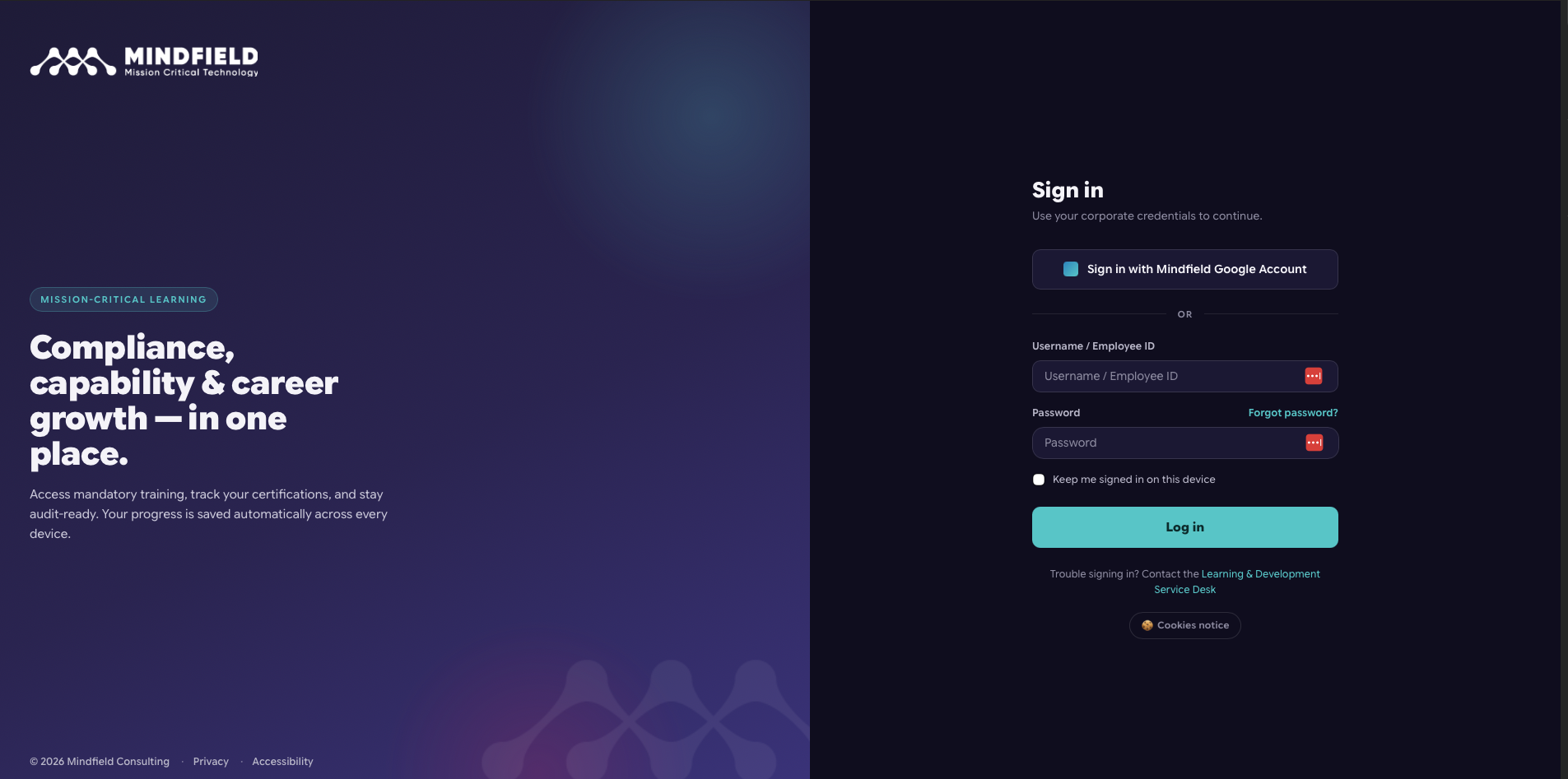
Here is a look at the Moodle@Work learner experience, starting with the custom branded login:
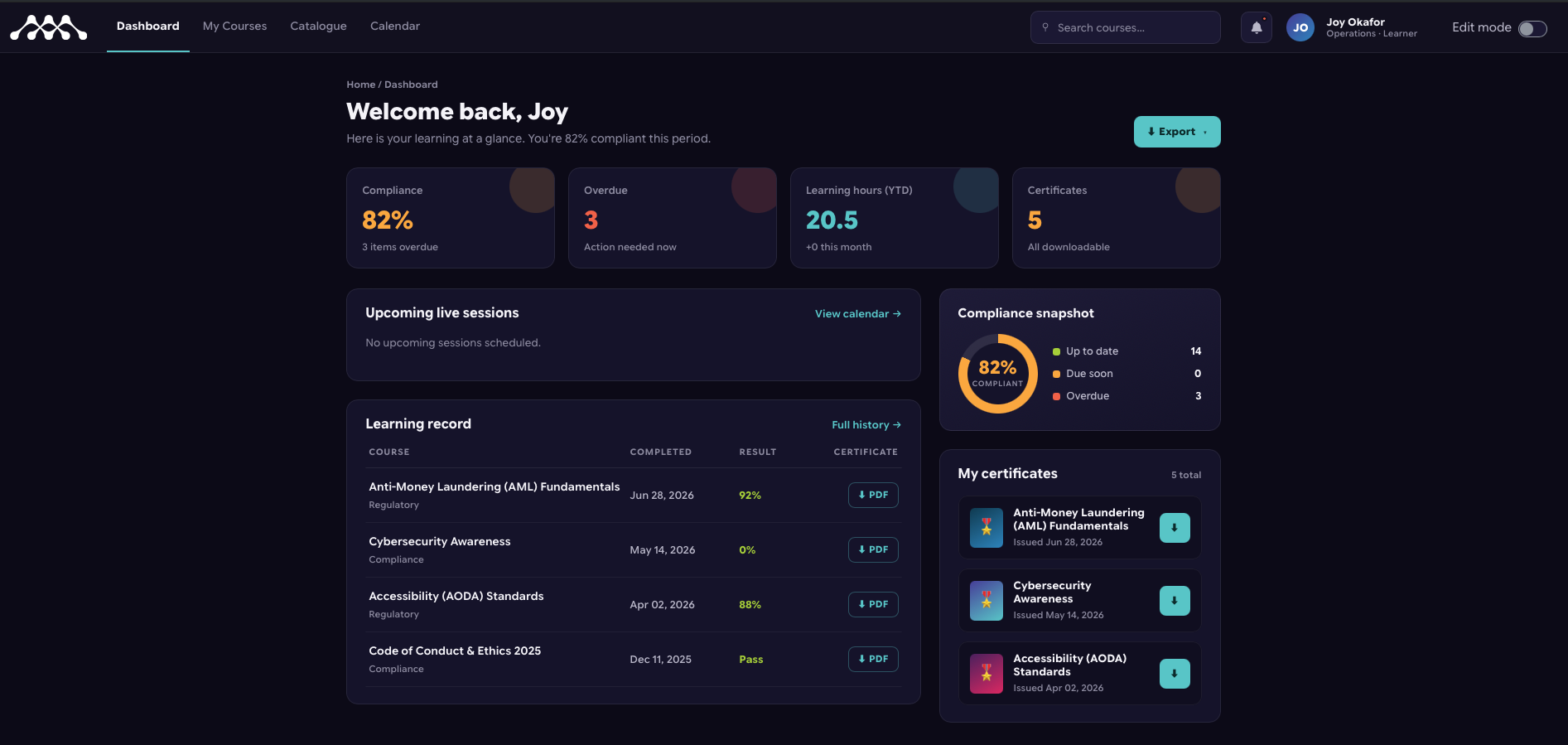
Once logged in, the learner is greeted by a unified dashboard:
Sketching the Org Chart Configuration from the Learner View:
Looking at the dashboard above, we see a learner named Joy Okafor, categorized as an Operations Learner. Her dashboard prominently displays an 82% compliance rate and 3 overdue items.
Behind the scenes, the Moodle@Work org chart configuration powers this view and routes the data upwards. Here is how that structure is configured:
User Assignment: Joy’s profile is mapped to the “Operations” department node in the backend hierarchy.
Manager Roll-Up: Because Joy is nested under Operations, the designated “Operations Manager” will see Joy’s 82% compliance score and her specific overdue courses directly on their Manager Dashboard.
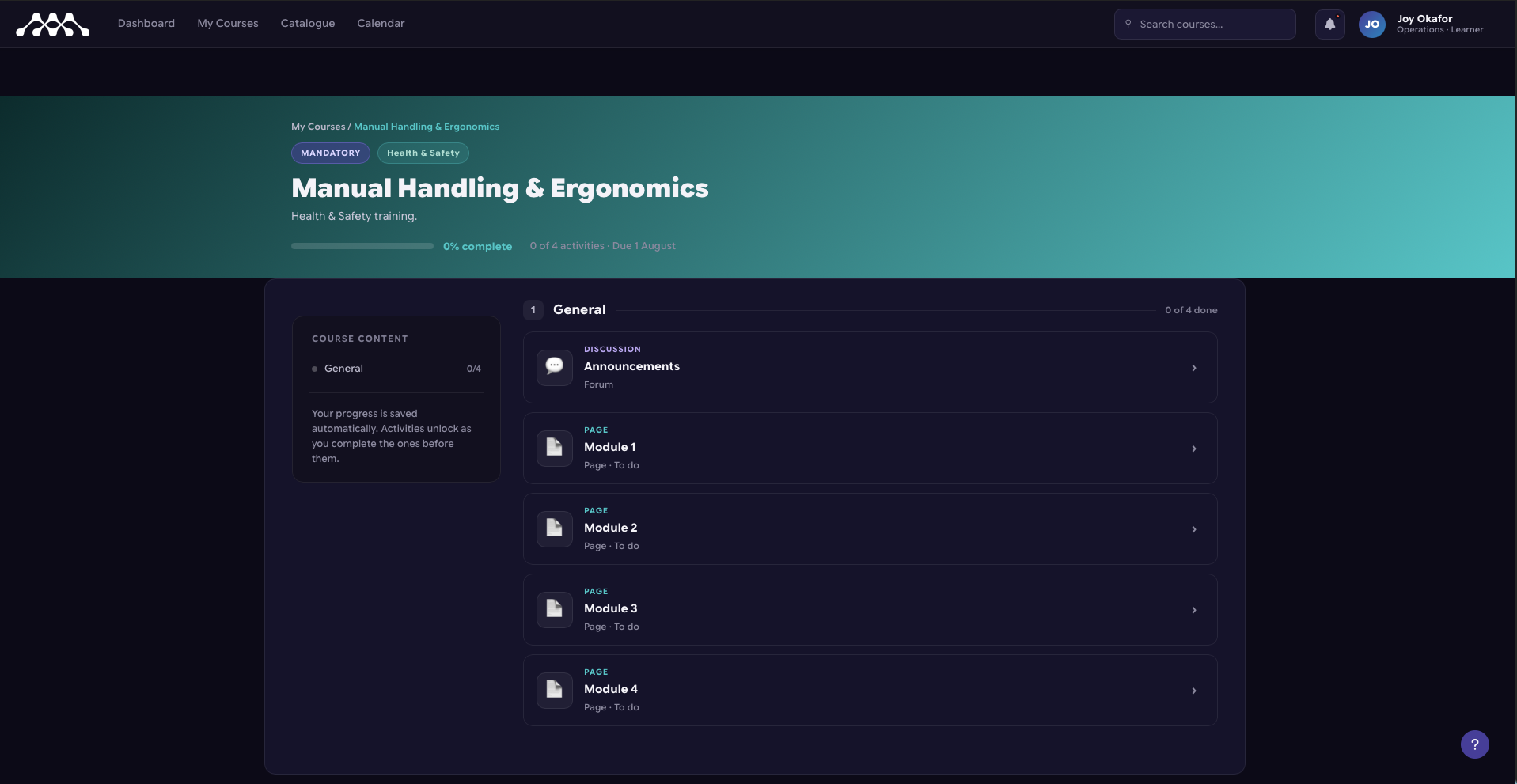
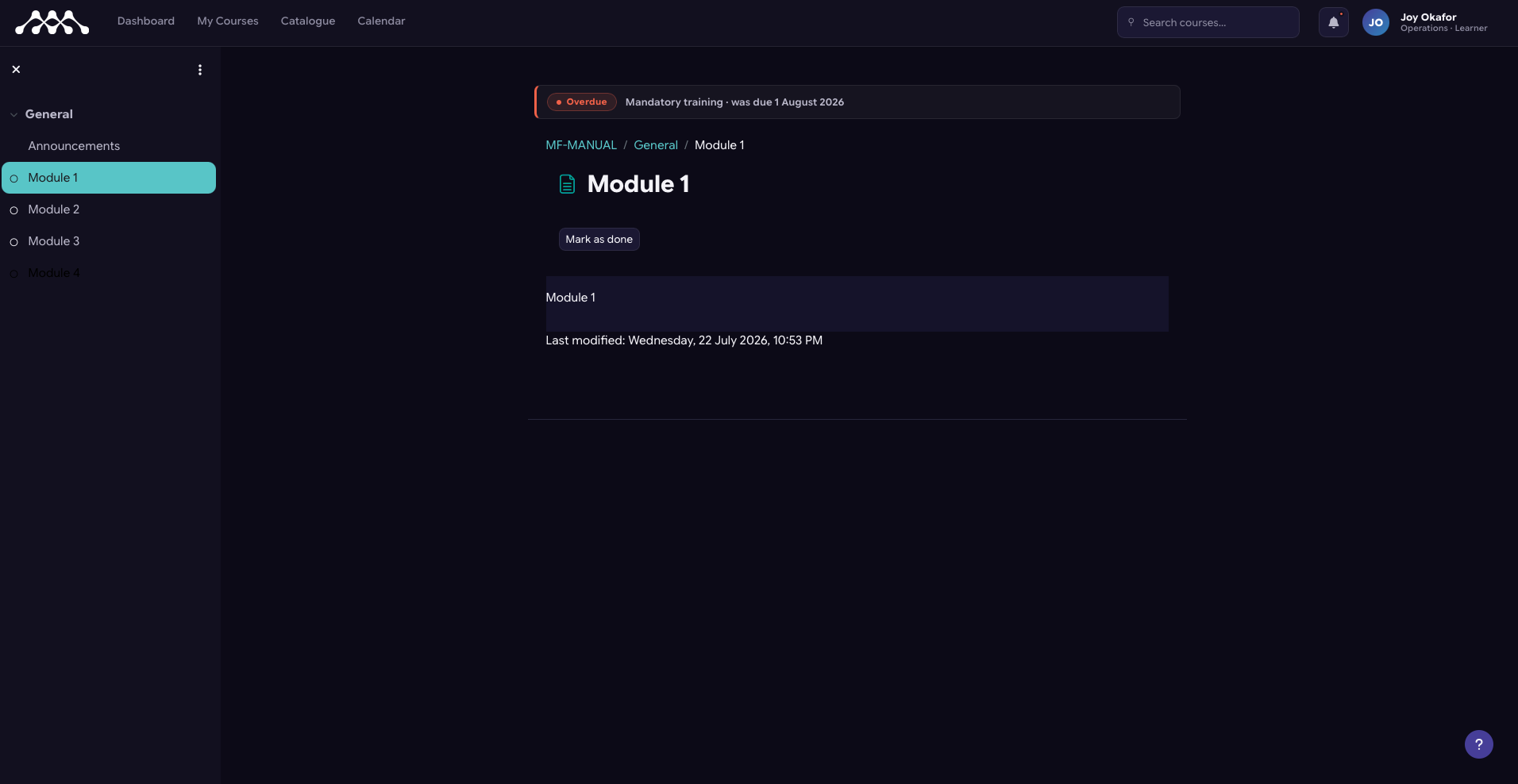
When Joy navigates to her courses or the course catalogue, the system surfaces specific mandatory training automatically assigned based on her departmental role.
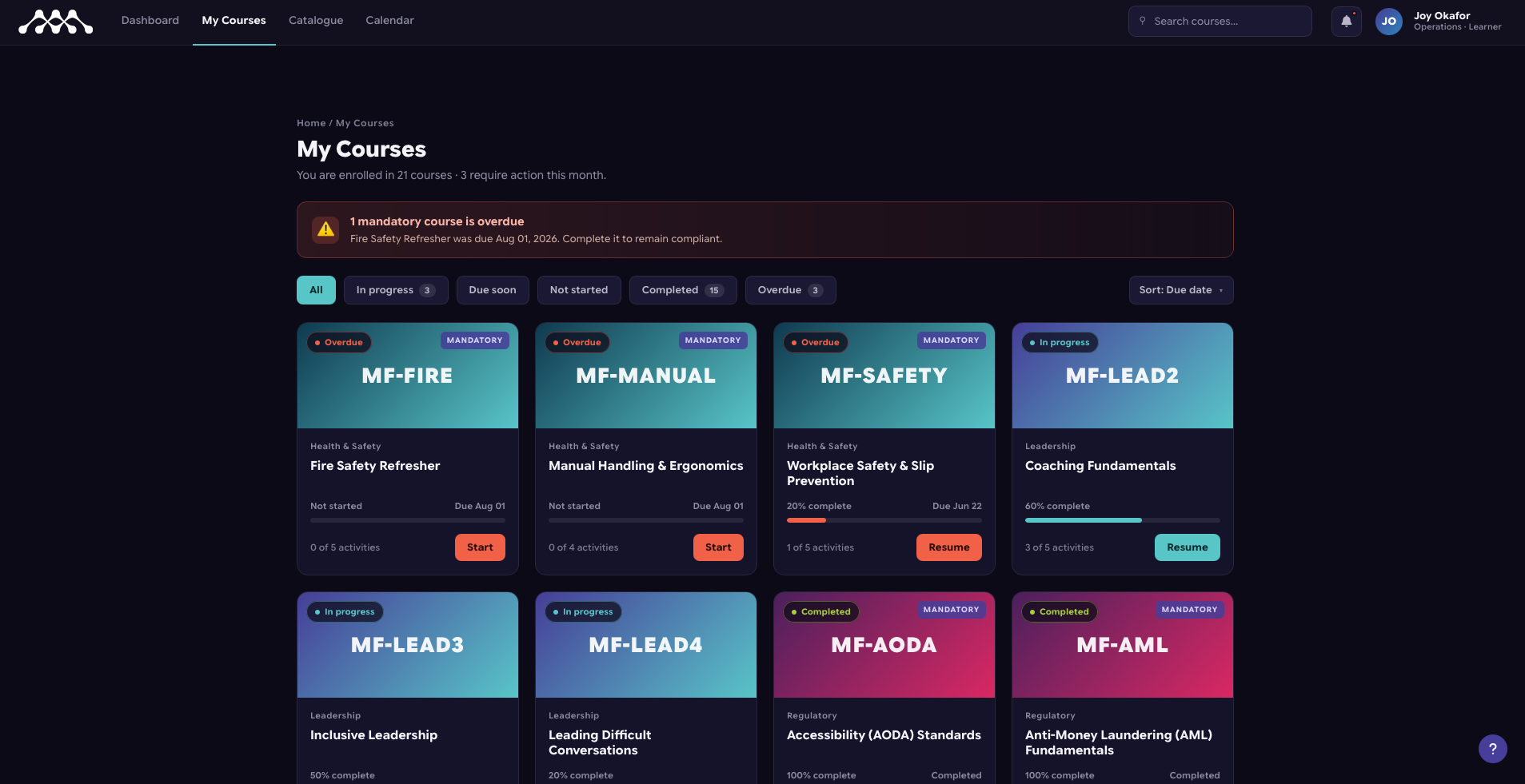
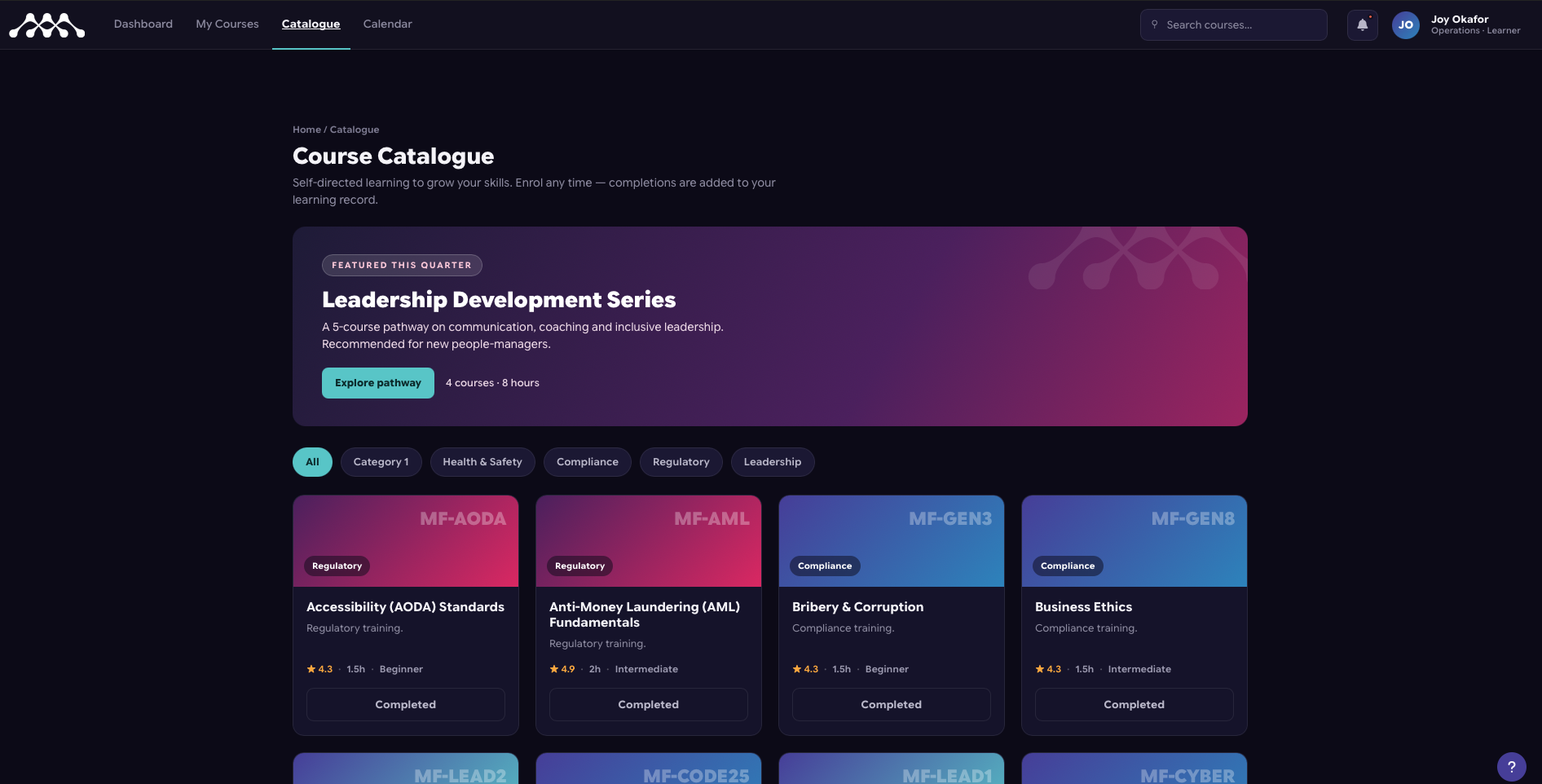
For example, her overdue “Fire Safety Refresher” and “Manual Handling & Ergonomics” modules are flagged directly in the interface for immediate action:
This configuration maintains the same upgrade path as core Moodle, simplifying long-term maintenance while offering the hierarchy and compliance visibility that complex organizations require.
Unlocking Deeper Insights: What an Org Hierarchy Provides

Beyond simply mapping who reports to whom, a functional organizational hierarchy in Moodle unlocks several critical capabilities that a flat list of users or cohorts cannot. These capabilities are particularly valuable for institutions with complex administrative needs, compliance requirements, or decentralized management structures.
How a Standard Corporate Hierarchy Maps in Moodle
🏢 Acme Global (Top Level / Tenant or Site)
│
├── 📁 Sales Division (Parent Department)
│ ├── 👤 VP of Sales (Manager Role: Visibility over all Sales sub-departments)
│ │
│ ├── 📁 North America Sales (Child Department)
│ │ ├── 👤 Regional Director (Manager Role: Visibility over NA Sales team)
│ │ ├── 👤 Account Executive 1 (Learner Role)
│ │ └── 👤 Account Executive 2 (Learner Role)
│ │
│ └── 📁 EMEA Sales (Child Department)
│ ├── 👤 Regional Director (Manager Role: Visibility over EMEA Sales team)
│ └── 👤 Account Executive 3 (Learner Role)
│
└── 📁 Operations Division (Parent Department)
├── 👤 VP of Operations (Manager Role)
└── 👤 Joy Okafor (Learner Role – Operations)
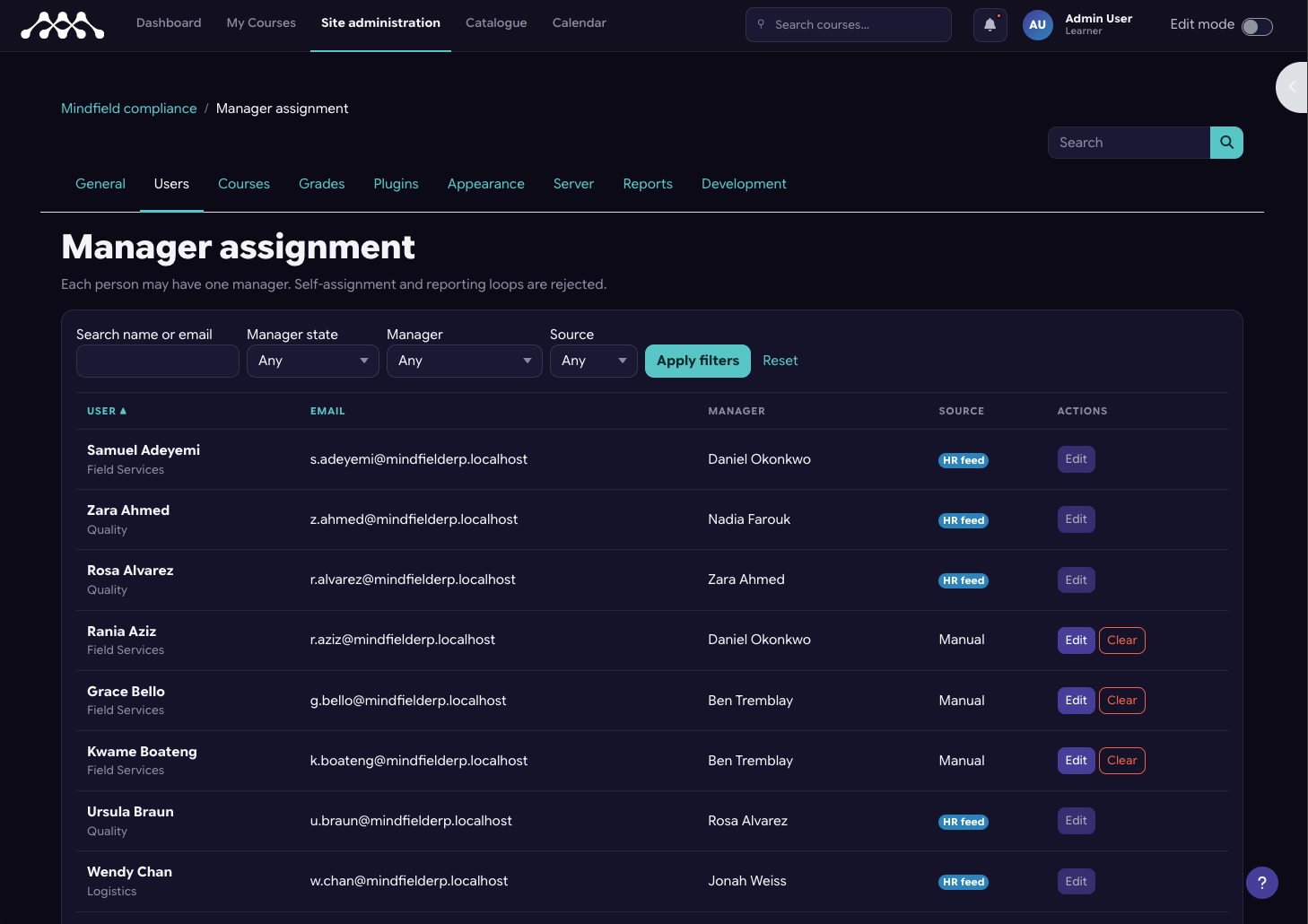
This image displays dashboard titled “Manager assignment” under the “Site administration” settings, featuring a filterable table that lists users, their email addresses, assigned managers, assignment sources (such as HR feed or Manual), and action buttons to edit or clear assignments.
Empowering Delegated Administration and Manager Dashboards
A well-defined organizational hierarchy enables true delegated administration. Instead of all administrative tasks falling to a few site administrators, department leads or campus directors can manage their own people, assign local training, and track progress within their specific reporting boundary. This significantly reduces the workload on central IT or LMS administration teams.
Furthermore, it allows for the creation of targeted manager dashboards. A director, for example, can see the learning progress and compliance status of every team member beneath them in the hierarchy, without requiring a site administrator to build a custom report for each request. This provides real-time oversight and empowers local leadership.
Streamlined Compliance and Roll-Up Reporting
For professional associations, regulatory colleges, and schools, compliance tracking is often paramount. An organizational hierarchy directly addresses the compliance question, “Is my entire division or all members of this chapter current on this certification?” Without a hierarchy, answering this question means manually aggregating data across disparate groups. With a hierarchy, reporting can roll up automatically.
This means that if a department has a specific training requirement, a manager or administrator can instantly see the completion rates for everyone in that department and its sub-departments. This capability is crucial for audits and ensuring organizational accountability, as discussed in contexts like Moodle Compliance for BC Private Training Institutions.
The Crucial Role of Data Synchronization
Regardless of the chosen route for implementing an organizational hierarchy, a critical consideration is where the organizational data originates and how it is maintained. Moodle is typically not the source of truth for an organization’s structure. That data usually resides in an Applicant Management System (AMS), Customer Relationship Management (CRM) system, or Human Resources Information System (HRIS).
Therefore, the hierarchy within Moodle is a copy of a structure managed elsewhere. This necessitates a robust synchronization strategy. Questions to address include:
- Which system is the authoritative source for the organizational structure?
- How often will Moodle sync with this source? What is the acceptable staleness window for the data?
- What happens to a user’s historical course completions or certifications when they change departments or positions mid-certification? (Moodle Workplace’s start/end dates on job assignments are designed precisely for this scenario.)
- Who owns the process of troubleshooting and resolving sync issues when they inevitably occur?
A hierarchy that is not regularly re-synchronized with the source of truth can be worse than no hierarchy at all. Reports derived from outdated data may look authoritative but provide incorrect information, leading to misguided decisions or compliance failures. Organizations must plan for the ongoing maintenance and integrity of this synchronized data.
Strategic Decisions: When to Invest in an Organizational Structure

Deciding which approach to adopt for an organizational hierarchy in Moodle depends on a clear assessment of your organization’s specific needs, scale, and resources. Making the right choice involves balancing functionality with cost, complexity, and long-term maintenance.
Assessing Your Organizational Needs
For smaller organizations or those with very stable structures and infrequent reporting needs, the simpler approach of using custom profile fields combined with cohorts in standard Moodle might suffice. This route is essentially free in terms of licensing and requires minimal initial setup. It allows you to record departmental or reporting information as text attributes.
However, it requires manual effort for reporting and lacks any dynamic hierarchical functionality. This is a suitable choice if your primary need is to simply categorize users by department for basic filtering, rather than enabling roll-up reporting or delegated management.
Tipping Points for Advanced Solutions
Several factors indicate when an organization should consider more advanced solutions like Moodle Workplace, IOMAD, or a vendor-built theme layer:
- Number of people: As user counts grow into the hundreds or thousands, manual reporting and administration become unsustainable.
- Depth of the tree: Organizations with multiple layers of departments and sub-departments will quickly outgrow flat structures.
- Audit requirements: If your organization is subject to regular audits requiring proof of compliance across specific organizational boundaries, automated roll-up reporting is essential.
- Delegated management: When managers other than the site administrator need to see team progress, assign training, or manage users within their direct reports, a hierarchical structure is necessary.
These tipping points signal that the limitations of custom profile fields will outweigh their low cost. The administrative burden and risk of inaccurate reporting will increase significantly.
Matching Solution to Scale and Budget
The choice of solution should align with your organization’s scale, budget, and specific operational requirements.
- Moodle Workplace is the most comprehensive solution for organizations that genuinely need dynamic positions, job assignments, and complex rules at an enterprise scale. It offers native integration of organizational structures for large, complex entities with a dedicated budget for a Moodle partner. The investment is substantial but provides a fully integrated, future-proof solution for dynamic hierarchies.
- IOMAD is ideal when the core requirement is genuine tenant separation, where different departments or external client organizations need completely distinct Moodle environments within a single instance. While it provides an organizational hierarchy, its multi-tenancy architecture might be overkill if you simply need internal reporting lines within one organizational entity.
- A vendor-built theme layer, such as Mindfield’s Moodle@Work, offers a compelling balance. It suits organizations that need the hierarchy and compliance visibility without the significant platform change and licensing costs of Moodle Workplace, and without the multi-tenancy implications of IOMAD. It builds upon your existing standard Moodle core, preserving your upgrade path while adding critical organizational functionalities. This route is often more economical than a full Workplace implementation while providing much of the needed functionality.
Ultimately, the decision requires careful consideration of the long-term strategic value. An investment in a proper organizational structure can significantly reduce administrative overhead, improve compliance, and empower local leadership, making it a valuable strategic asset for your learning ecosystem.
Empowering Your Moodle with Organizational Insight

Implementing an organizational hierarchy in Moodle is a strategic decision that moves beyond basic course enrollment to unlock powerful administrative and reporting capabilities. Whether your organization is a private school, a professional association, or a continuing education provider, understanding the nuances of Moodle’s user model and the available solutions is key. Mindfield Consulting’s Moodle@Work theme provides a robust, vendor-built solution for integrating an org chart and compliance tracking directly into your existing Moodle platform. Our Moodle specialists can help you scope the right solution to meet your specific needs, ensuring your Moodle instance truly reflects and supports your organizational structure.
Frequently Asked Questions (FAQs)
This article may contain conceptual illustrations to help support the article content.
