


The first week of a new term looks the same at many private schools that have not yet decided how to integrate Blackbaud with Moodle. The registrar rebuilds sections in Moodle by hand. A student who switched sections is still sitting in the old course. Meanwhile, teachers enter the same marks twice, once in Moodle and again in Blackbaud, before report cards go out.
As a result, the school risks wrong enrolments, a report card grade that does not match what the student saw, and parents looking at two versions of the truth. The school has already chosen Moodle for teaching and Blackbaud Student Information System (SIS) as its record of students. So the question is which data each one owns, and how it moves between them.
I recently migrated my site to Mindfield from another host, and the experience couldn’t have been better. Mindfield kept working until they were certain that my site was operating as well as it was before, and they even helped clean up a few issues to improve my site’s performance – issues my prior host never mentioned. I also found Mindfield’s communication to be excellent. Before the migration, they prepared me for what to expect, and during the migration they kept me well-informed.
Jim Benedek
review Source: Google Reviews
Outline
- Which Blackbaud Products Connect to Moodle, and Which One Does Not
- Which System Owns What When You Integrate Blackbaud with Moodle
- What Should Sync Automatically, and What Should Stay Manual
- How Report Card Cycles and Grade Sync Shape the Term Calendar
- Privacy Questions to Ask Before You Integrate Blackbaud with Moodle
- Off-the-Shelf Connector or Custom Bridge to Integrate Blackbaud with Moodle
- How Mindfield Helps Private Schools Integrate Blackbaud with Moodle
- Frequently Asked Questions (FAQs)
Which Blackbaud Products Connect to Moodle, and Which One Does Not
Blackbaud sells schools several systems, so “integrate Blackbaud” has to name the product. This article covers the products that sit beside Moodle, not the one that does Moodle’s job (product names last verified October 2026).
- Student Information System. The core of everything below: people, sections, enrolments, term dates and the report card grade.
- Enrollment Management System. Admissions stays in Blackbaud. Applicants never reach Moodle; an account is created only once the student is enrolled and appears in the student information system.
- Raiser’s Edge NXT. The fundraising system. It connects to Moodle for alumni and donor learning, a separate project listed at the end of this article.
- School Website System. Links into Moodle and one shared login, known as single sign-on (SSO), through one of several Moodle SSO options. No data moves.
- Tuition Management and Financial Edge NXT. Billing and accounting stay out of Moodle entirely. A teacher never needs them to run a class.
Why Blackbaud’s Learning Management System Is Left Out
Blackbaud Learning Management System does the same job as Moodle: assignments, a gradebook and class pages. A school running both has two places to post work and two gradebooks to reconcile, which is the double entry this article sets out to remove. So if teachers work in Blackbaud’s learning management system today, the decision is a migration to Moodle, not an integration. That move needs its own plan for courses, past coursework and grade history.
The rule: integrate the systems that hold records; replace the one that duplicates Moodle.
Which System Owns What When You Integrate Blackbaud with Moodle

Blackbaud’s student information system is the school’s record: who is enrolled, in which section, with which teacher, and the grade that goes on the report card. Moodle is where teaching and day-to-day marking happen. Every decision after this one depends on writing that split down, field by field:
| Data | System of record | What Moodle does with it |
|---|---|---|
| Students, teachers and families | Blackbaud | receives accounts, never creates them |
| Courses and sections | Blackbaud | one Moodle course per section (or per course with groups), created from Blackbaud |
| Enrolments, adds and drops | Blackbaud | follows Blackbaud; nobody enrols students by hand in Moodle |
| Term and marking period dates | Blackbaud | sets course start and end dates |
| Day-to-day assignment marks and feedback | Moodle | owned in Moodle |
| Report card grades and comments | Blackbaud | Moodle supplies the number; Blackbaud holds the grade of record |
| Parent access | Blackbaud parent portal | Moodle parent access only if the school decides parents should see coursework there |
Schools choose between one Moodle course per Blackbaud section and one course per subject with each section as a group. The second keeps a teacher’s sections in one place, which is easier to run when the same teacher has two or three of them.
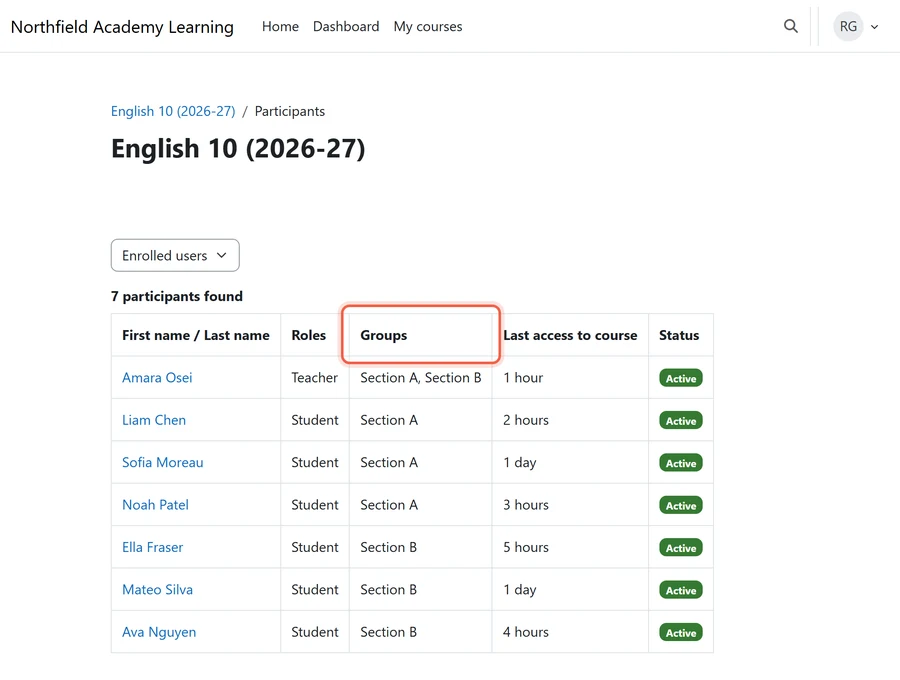
One owner per row. If two systems can both edit a field, they will disagree by October.
What Should Sync Automatically, and What Should Stay Manual

Once ownership is settled, the next call is which data moves on its own and which waits for a person. Most of the time saved when you integrate Blackbaud with Moodle comes from the first list below.
Sync Automatically
- Accounts. Students, teachers and families arrive from Blackbaud. Moodle never creates them.
- Sections into courses. Each Blackbaud section creates its Moodle course or group.
- Enrolments, adds and drops. Section changes included, daily during the first weeks of term, when they change most.
- Teacher assignments. The teacher on the Blackbaud section is the teacher in Moodle.
- Term dates. Course start and end dates follow the Blackbaud calendar.
Keep Manual or Reviewed
- The final grade for each marking period. A teacher or department head confirms it before it moves to Blackbaud.
- Report card comments. They are written and edited in Blackbaud.
- Mid-term exceptions. Audits, medical accommodations and students sitting in on a section need a person’s decision.
The rule: automate data that changes often and has one clear owner; keep a person on anything that needs a teacher’s judgement or lands on a report card. The trap: syncing every Moodle assignment into Blackbaud, which doubles the gradebook teachers already complain about. The owners: the registrar owns roster sync, and the academic office owns grade sync.
How Report Card Cycles and Grade Sync Shape the Term Calendar

A grade sync is a deadline, not a feature. Moodle marks must be final before the Blackbaud grading window opens, and comments and overrides happen in Blackbaud after that. Five calendar points decide whether it works:
- The grading window. Set a Moodle “marks final” date a few school days before the Blackbaud report card window opens, for every marking period.
- Grade scales. The grade exchange Blackbaud offers is built on the OneRoster standard, where a result is a numeric score with no field for a letter grade. A school that reports letters or standards needs an agreed mapping before term starts, decided by the academic office, not the developer.
- Weighting and categories. Moodle’s gradebook categories and Blackbaud’s grading categories must carry the same weights, or the number that arrives is not the number the teacher calculated.
- Section changes after the window. A student who changes section mid-term carries marks from two Moodle courses. Decide in advance who reconciles them.
- Year-end. Roll courses over only after final grades are confirmed in Blackbaud.
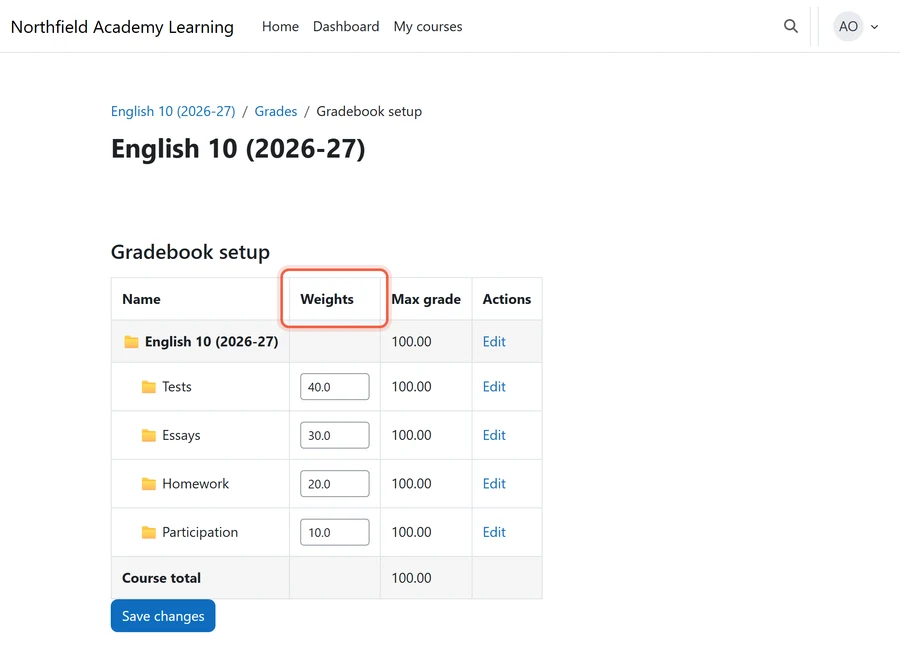
Test Grade Sync Before It Counts
The trap: switching grade sync on for the first marking period of the year, when it is already live. The backstop: run one full marking period in parallel, with sync on and teachers still checking the Blackbaud grade, before anyone relies on it.
Privacy Questions to Ask Before You Integrate Blackbaud with Moodle

Connecting the two systems copies student records into a second place. So the head of school signs off on the data map, not on the technology. Six questions to ask first:
- Which fields cross, and in which direction? Name them. Medical, custody, financial aid and discipline data never need to reach Moodle.
- Where does the connection run, and what does it store? A middle service or vendor platform holds copies of student data. Know where, and for how long.
- Whose account and keys does it use? Blackbaud access runs through a linked user account with specific roles. It should belong to the school, carry the fewest roles that do the job, and never be a departed staff member’s login.
Leavers, Families and the Contract
- What happens when a student leaves? Withdrawn students stop syncing, and their Moodle accounts follow the school’s Moodle data retention strategy for private schools.
- Which families and guardians appear in Moodle? Custody restrictions recorded in Blackbaud must carry over, or parent accounts are not created.
- What does the contract say about breaches and subprocessors? Any vendor in the middle should name who else touches the data and what happens, and how fast, if it leaks.
The trap: approving the vendor’s standard data sheet instead of the school’s own map. The backstop: review the map every year, and whenever a field is added. The owner: the head of school signs it, and the director of technology keeps it current.
If the data map does not fit on one page, the integration moves too much.
Off-the-Shelf Connector or Custom Bridge to Integrate Blackbaud with Moodle

There is no Blackbaud-to-Moodle plugin on the Moodle plugins directory, so “off the shelf” means one of three partial routes, plus a custom bridge built on Blackbaud’s application programming interface (API). Blackbaud’s own support for Learning Tools Interoperability (LTI), the standard for launching outside tools, sits in its learning management system, so it is not a route here. However, the real comparison is about coverage and who keeps it running, not just the starting price (plugin and vendor details last verified October 2026).
| Route | Rosters and enrolments | Grades back to Blackbaud | Who supports it | Best fit |
|---|---|---|---|---|
| Scheduled file exports and Moodle uploads | yes, on a schedule | no, re-keyed | the school’s own staff | small schools, one term at a time |
| Moodle’s OneRoster enrolment plugin | yes, in principle | no | listed by Moodle’s own developers as alpha, last updated January 2021 | testing the standard, not production |
| A unified education API or rostering service | yes | possible, through Blackbaud’s OneRoster grade exchange | the vendor | schools buying an app already built on one |
| Custom bridge on Blackbaud’s APIs | yes, the school’s rules | yes, with the school’s mapping | the developer the school hires | schools that want both directions and their own rules |
Scheduled File Exports and Moodle Uploads
What it covers: Blackbaud exports lists of people, sections and enrolments, and Moodle’s own upload tools take them in. No developer is needed to start.
Where it falls short:
- Someone has to run it every time.
- Drops and section changes are missed between runs.
- Nothing comes back for grades, so teachers re-key them.
- Even small details need handling, because Moodle bulk user upload does not send welcome emails on its own.
Who supports it: The registrar or the technology team, which means it stops when that person is away.
What upkeep looks like: Low cost and high staff time, rising every term the school grows.
Moodle’s OneRoster Enrolment Plugin
What it covers: The One Roster enrolment plugin was built by Moodle’s own developers and certified against the OneRoster 1.1 standard, which Blackbaud also supports. It creates users, courses and enrolments and can link parents to students.
Where it falls short:
- It is listed as alpha.
- It supports only Moodle 3.9 and 3.10 and has had no release since January 2021, so it will not run on a current Moodle without development work.
- It has no gradebook support, so grades still do not go back.
Who supports it: Nobody is committed to it today.
What upkeep looks like: Whoever revives it owns it, which makes it a custom bridge with a head start.
A Unified Education API or Rostering Service
What it covers: Services such as Edlink, and Clever-style rostering hubs, connect once to Blackbaud, read its rosters and can pass grades back through Blackbaud’s OneRoster grade exchange. They connect to Moodle too.
Where it falls short:
- They are built and priced for education software companies joining many schools, not one school joining its own two systems.
- The school works within the vendor’s data model.
- Grade passback still inherits the numeric-score limit.
Who supports it: The vendor, under its contract.
What upkeep looks like: A yearly subscription, plus a third party holding copies of student data, which brings every question in the privacy section back into play.
Custom Bridge on Blackbaud’s APIs
What it covers: Blackbaud’s developer API, SKY API, reads people, sections and enrolments, and its OneRoster grade exchange accepts scores. On the Moodle side, the bridge works through the Moodle web API, so it follows the school’s own rules for sections, groups, parents and grade mapping, in both directions.
Where it falls short:
- The school pays for the build.
- SKY API limits how many calls an application makes each second and each day, which shapes how often it syncs.
- The school’s rules have to be written down first, and that is often the bigger job.
Who supports it: The developer the school hires, so the contract has to name upkeep.
What upkeep looks like: Re-testing with each Moodle major release, about every six months, and each Blackbaud API change. That work belongs in the school’s Moodle maintenance strategy.
How to Choose a Route
- A few hundred students, one term at a time: file exports, with a named owner and a weekly schedule.
- Already buying an app built on a rostering service: use it for rosters, and test grade passback against your grade scale before you count on it.
- Enrolments that follow Blackbaud daily and grades back every marking period: a custom bridge.
- Never: the OneRoster plugin in production, as it is listed today.
The trap: buying for the roster and finding out at the first report card that grades do not go back. The rule: ask every option three questions. Does it move grades back in our scale? Who fixes it in the week before report cards? And what does it cost each year, not just to start?
The cheapest route is the one whose gaps you can staff.
How Mindfield Helps Private Schools Integrate Blackbaud with Moodle
- Mapping ownership. Which system owns each field, worked out with the registrar and the academic office.
- Choosing the route. Matched to enrolment size, grade scale and who will run it.
- Building and proving it. The bridge runs through one full marking period in parallel before anyone relies on it.
- Keeping it working. Re-tested through Moodle upgrades and Blackbaud API changes.
Blackbaud is rarely the only system a school connects to Moodle. Three others come up often:
- Raiser’s Edge. Blackbaud’s fundraising system, for alumni and donor learning; see integrating Moodle with Raiser’s Edge.
- Single sign-on. One login across school systems, covered in single sign-on (SSO) for Moodle.
- Video conferencing. Live classes and their attendance, compared in Moodle video conference integration options.
Plan Your Blackbaud and Moodle Integration
Mindfield helps private schools decide which system owns each piece of data before anything is built. We pick the route that fits your enrolment size and grade scale, from file exports to a custom bridge. Then we build it and run it beside your staff for a full marking period. After that, we keep it working through every term and every Moodle upgrade. Talk to us before your next term starts.
Frequently Asked Questions (FAQs)
This article may contain conceptual illustrations to help support the article content.
