

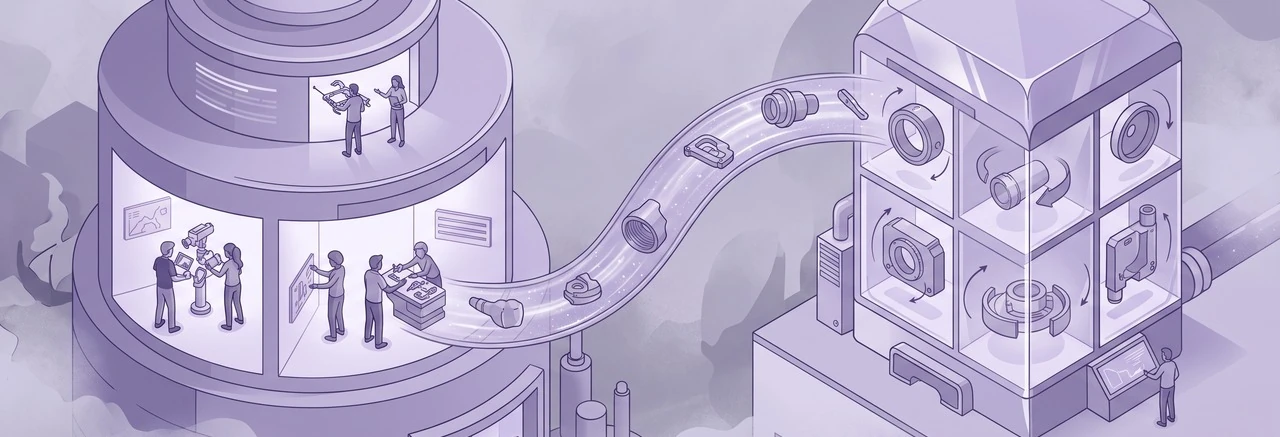
Launch week for a new product model should be a moment of excitement, not a scramble for your service training team. Yet, for many equipment, vehicle, or machinery manufacturers, it signals a familiar problem: the new model is on the dealer lot, service bulletins have updated in the Product Information Management (PIM) system, but the technician training course in Moodle still reflects last year’s specifications. This disconnect means technicians are servicing new equipment with outdated knowledge, often leading to dealer complaints and warranty issues.
To effectively integrate Moodle with a PIM system, organizations must move beyond manual updates and establish a clear strategy for how product data changes translate into immediate, relevant training actions. This article explores the strategic decisions and technical considerations required to align your Moodle training with real-time product data from your PIM.
I recently migrated my site to Mindfield from another host, and the experience couldn’t have been better. Mindfield kept working until they were certain that my site was operating as well as it was before, and they even helped clean up a few issues to improve my site’s performance – issues my prior host never mentioned. I also found Mindfield’s communication to be excellent. Before the migration, they prepared me for what to expect, and during the migration they kept me well-informed.
Jim Benedek
review Source: Google Reviews
Outline
- What Lives in the PIM and What Moodle Owns
- Linking Products to Courses in Moodle
- How to Integrate Moodle with a PIM System: Web Services, Webhooks and Scheduled Tasks
- Managing Training for Revised or Discontinued Product Models
- Scoping the Work to Integrate Moodle with a PIM System: Custom Build or Connector
- Expert Support for Your Moodle PIM Integration
- Frequently Asked Questions (FAQs)
What Lives in the PIM and What Moodle Owns

Before anything syncs, settle which system owns each piece of data. The PIM owns every fact about the product. Moodle, by contrast, owns every fact about the technician. The trade-offs of connecting the two in general are covered in Moodle PIM integration pros and cons; this article stays on what the connection means for dealer technician training.
| Data | System of Record | What the Other System Does with It |
|---|---|---|
| Model and Stock Keeping Unit (SKU) | PIM | Moodle uses it to label and find the matching course. |
| Technical Specifications | PIM | Moodle courses display or reference them, never retype them. |
| Service Bulletins | PIM | Moodle turns a bulletin into an update or a required module. |
| Product Lifecycle Status (launched, revised, discontinued) | PIM | Moodle uses it to open, flag, or retire courses. |
| Courses and Learning Content | Moodle | PIM has no copy. |
| Technician Certifications and Expiry | Moodle | PIM has no copy. |
| Completions and Grades | Moodle | Reported back to the dealer network, not the PIM. |
The rule that falls out of the table: product facts flow one way, into Moodle, and training records never flow back into the PIM.
Linking Products to Courses in Moodle
The product-to-course map is the core of the integration. Every course, or course section, carries the product families, models or Stock Keeping Units (SKUs) it covers, stored in custom course fields that Moodle can match on. When the PIM reports a change, the integration looks up the map and knows which courses, and which enrolled technicians, it touches.
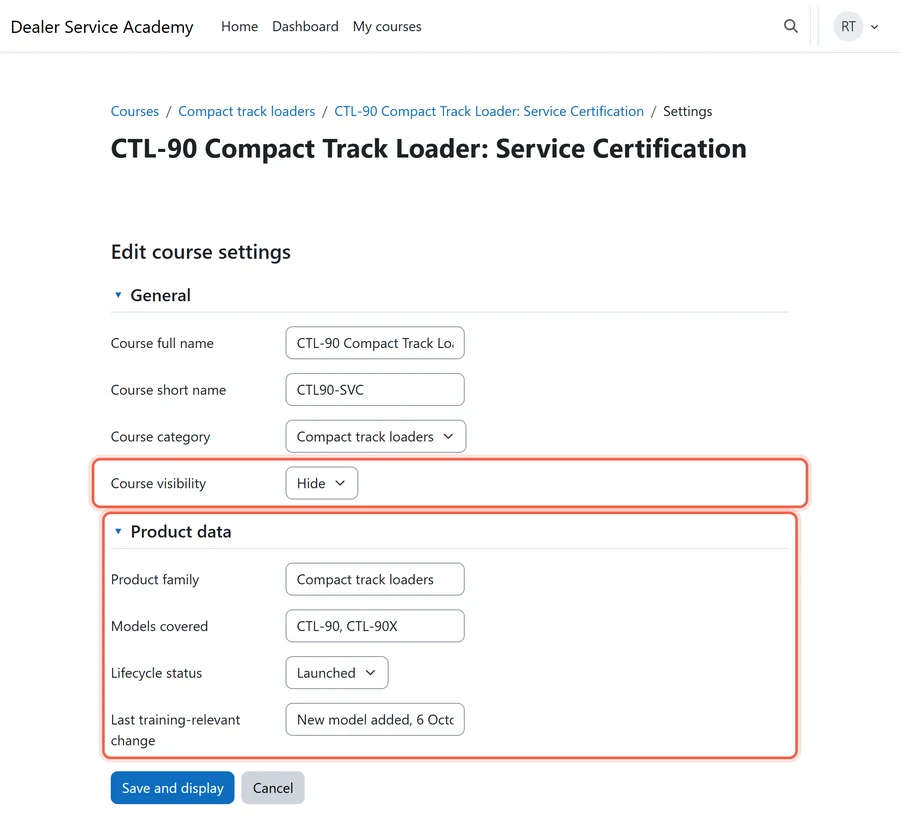
Each kind of product event then gets its own training consequence:
- New model in the PIM: a new course is created from the template course for that product family and kept hidden until the training team adds the hands-on content and publishes it. Template courses lean on Moodle course copy, backup, or restore, so keep that template clean.
- Specification change: the affected course is flagged for review with the changed attributes listed. As a result, nothing is overwritten.
- Service bulletin: a short required module is added and the enrolled technicians are notified.
- Mapping granularity: map at product family level unless SKUs truly need different service training. SKU-level mapping multiplies courses and the upkeep that comes with them.
Automation should open the work, not finish it.
How to Integrate Moodle with a PIM System: Web Services, Webhooks and Scheduled Tasks
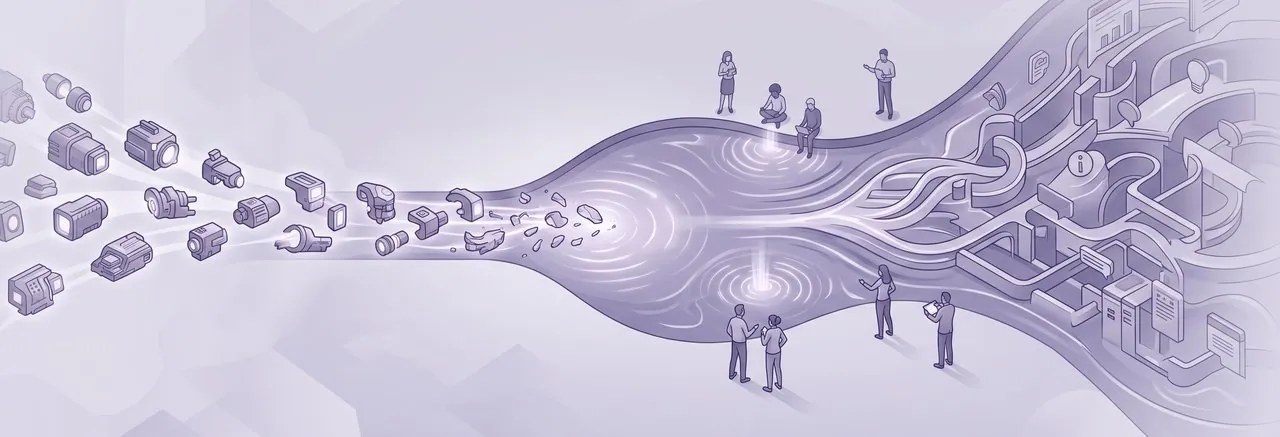
Three mechanisms carry product changes into Moodle: Moodle’s Application Programming Interface (API), webhooks from the PIM, and scheduled tasks. Most dealer training setups need all three, each for a different job.
Leveraging Moodle’s API for External Systems
Moodle’s web services API is how an outside system creates or updates courses and enrolments. Everything the PIM integration does in Moodle goes through it, as covered in our Moodle web API review and examples of use.
The same web services usually carry the other connections a dealer training program needs, so plan them together:
- Dealer Customer Relationship Management (CRM) system: completions and certification status flow out, so dealer principals can see who is cleared on which model. Confirm which system owns the technician record. We cover integrating Moodle with Salesforce, strategies to integrate Moodle and Dynamics 365 and integrating Moodle with HubSpot.
- Video conferencing: launch-week live sessions run outside Moodle, and attendance flows back as completion. Confirm how attendees are matched to technician accounts. See Moodle video conference integration options.
- Single sign-on (SSO): technicians log in with their dealer or manufacturer account, so access ends when they leave the dealer. Confirm who disables the account. See single sign-on (SSO) for Moodle.
- Reporting: certification status per dealer and per model flows out on a schedule to regional service managers. Confirm who receives which dealer’s data. See how to automatically send Moodle reports.
Event-Driven Updates with Webhooks
Most modern PIM systems offer webhook capabilities. A webhook sends an automated notification to another system when a specific event occurs, such as a product record change. In this context, a small middleware service receives the webhook notification from the PIM.
This service then processes the information and calls the appropriate Moodle API functions. Moodle does not natively receive arbitrary webhooks (last verified October 2026). Consequently, an intermediary service is necessary to translate PIM events into Moodle API calls.
Scheduled Tasks for Reconciliation and Safety Nets
Scheduled tasks, often running nightly or hourly, act as a crucial safety net for any integration. A scheduled job can periodically compare product changes in the PIM against the existing product-to-course map in Moodle. This ensures that any changes missed by webhooks, perhaps due to a temporary network issue, are eventually caught and reconciled.
Moodle’s own scheduled tasks depend on a system cron job. For further information on managing these tasks, refer to our guide on Moodle cron job management.
Combining Approaches for Optimal Sync
Use webhooks for urgency and the schedule as the safety net. A service bulletin cannot wait for tonight’s job, so it travels by webhook. Meanwhile, the nightly reconciliation catches whatever a webhook dropped during an outage, so nothing stays missed for more than a day.
Filtering PIM Changes for Training Relevance
Most PIM edits have nothing to do with training. For example, marketing copy, product photos and pricing change constantly, yet none of them should flag a course.
So the integration needs a written list of training-relevant attributes, such as technical specifications, safety warnings and service bulletins. Only a change to one of those triggers a review. In addition, the training manager owns that list, and it should be short.
Managing Training for Revised or Discontinued Product Models
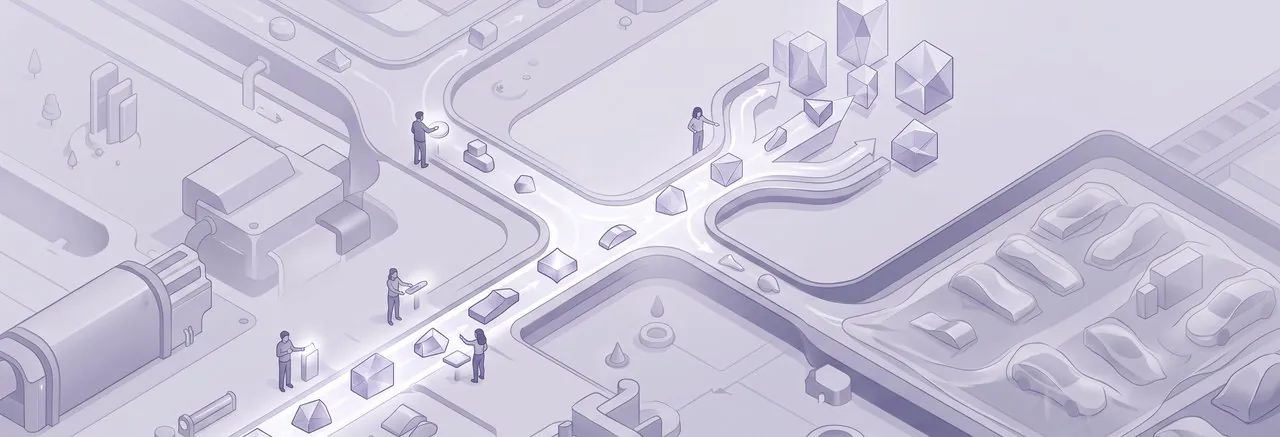
Product lifecycles involve revisions and eventual discontinuation. These events have significant implications for technician training, impacting certifications, existing enrolments, and even the financial aspects of paid courses. Establishing clear policies for these scenarios is crucial for maintaining a coherent and compliant training program.
Technician Recertification Requirements
The first decision is which product changes invalidate a technician’s certification. A major revision usually means full recertification on the updated course. By contrast, a minor specification change usually needs only a short update module.
Above all, the training team writes that rule; the sync never decides it. Moodle can then express it with:
- Badges with defined expiry dates.
- Certificates reissued each time a technician completes the current version.
- Course completion records that can be reset for recertification.
- A recertification plugin such as Course recompletion, which resets completion on a schedule or on demand.
For more on certificates, explore Moodle certificate plugins and customization strategies.
Technicians Already Enrolled When the Spec Changes
Technicians partway through a course when the model is revised need a decision made for them in advance:
- Minor change: let them finish the current version, then assign the update module.
- Major revision: move them to the revised course and carry over the parts that did not change.
- Either way: keep the completion record of the version they actually finished. Warranty disputes and audits ask which version a technician was trained on.
Discontinued Models Stay in Service
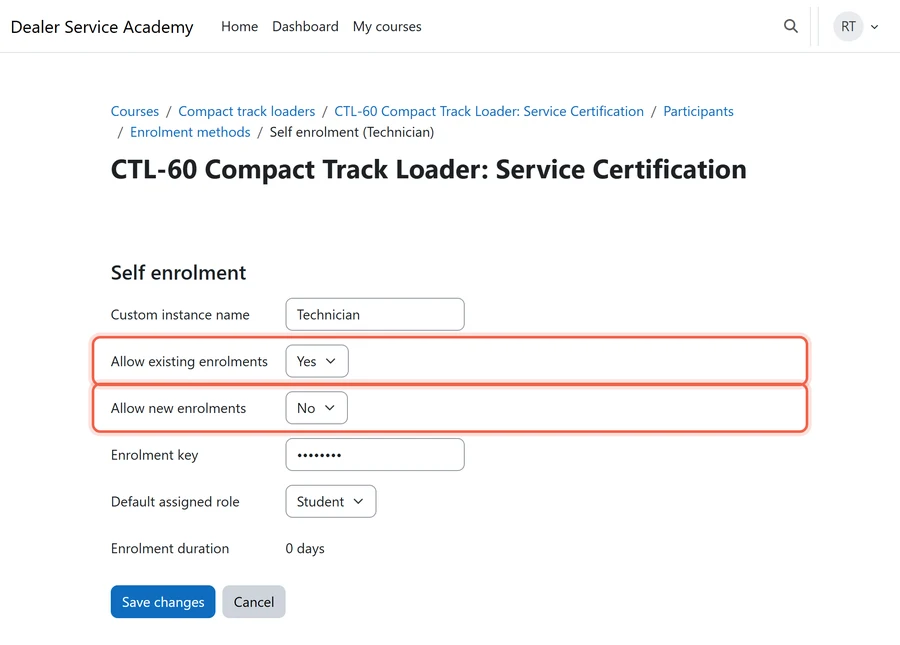
A discontinued model leaves the price list, not the field. Technicians will service those units for years, so the course has to stay open to them while closing to newcomers.
Hiding the course looks like the tidy move, and it is the trap: a hidden course disappears for the technicians already enrolled too. Disabling the enrolment method has the same effect on everyone enrolled through it. Instead, leave the course visible and close the door to new enrolments while existing ones carry on.
Impact on Paid Dealer Courses
Many manufacturers offer courses where dealers pay per technician seat. This often involves Moodle’s native enrolment on payment features or an integration with an eCommerce system. For more information on this, see our article on enabling eCommerce in Moodle.
When a product model is revised or discontinued, rules must be established regarding access for technicians who paid for the previous version. Decisions include:
- Offering free access to the revised course.
- Requiring payment for an update module.
- Providing no further access to the updated content.
Similarly, clear refund and access rules are needed for courses related to discontinued models. Seat sales can run inside Moodle, where plugins such as ModernCommerce now handle coupons, bundles and access codes, or through an external storefront. The same rules apply either way.
| PIM Event | Certification | Enrolled Technicians | Paid Dealer Courses |
|---|---|---|---|
| Minor Spec Change | Update module required | Notified of changes, continue current course | Free access to update module |
| Major Revision | Recertification required | Moved to revised course or restart | Free access to revised course |
| Service Bulletin | Required module added | Notified, module added to current course | Free access to bulletin module |
| Discontinued Model | Certification remains valid for existing units | Access maintained for servicing existing units | Access maintained; no new purchases |
Scoping the Work to Integrate Moodle with a PIM System: Custom Build or Connector

Cost and timeline are driven less by the PIM or by Moodle than by how many training rules the integration has to carry. Therefore, count those before asking anyone for a quote.
Key Scope Drivers for Training Integrations
Each of these adds logic, testing and upkeep:
- Number of product families: The sheer volume of product families and the intricacy of how their data is mapped and maintained directly affects the integration’s scale.
- PIM events triggering training: The more types of PIM events (e.g., new product, minor spec change, major revision, service bulletin, discontinuation) that must trigger specific training actions, the more complex the integration logic becomes.
- Recertification and paid-course rules: Highly granular or conditional rules for technician recertification and paid dealer courses significantly increase the need for custom logic. More rules mean more decision points within the integration.
- Completions to a dealer portal or CRM: Whether training completion records also need to flow back to a dealer portal or a CRM system adds another layer of data synchronization complexity.
- Multiple Moodle sites or dealer tenants: Managing integrations across several Moodle sites or distinct dealer tenants requires a more robust and flexible architecture.
- Testing with real launch data: Thorough testing against actual product launch data before go-live is essential. This ensures the integration performs as expected under real-world conditions.
Four Routes: Connector, Core Tools or Custom Build
Before choosing, check the Moodle plugins directory for a connector to your PIM that supports your Moodle version, and treat it as one more row to compare on the same terms. Otherwise, these are the four routes that actually exist:
| Route | What it covers | Where it falls short | Who supports it | Upkeep |
|---|---|---|---|---|
| PIM file export + Moodle’s Course upload (core) | New course shells from a scheduled export, each restored from the product family’s template course | Creates courses in batches only; no bulletins, no recertification, no enrolment changes | Moodle core + your PIM’s export | Low: the export format and the job that runs the upload |
| External database plugin, new courses table (core) | Moodle’s own sync creates a course from a “New course template” for each new model written to a shared table | Creates courses only; spec changes, discontinuations and paid seats are out of scope | Moodle core + whoever fills the table | Low to medium: a shared database both sides must agree on |
| Integration platform calling Moodle web services | Receives PIM webhooks, maps fields and retries without a server of your own | Recertification and enrolment rules become long, fragile flows | The platform vendor + whoever configured the flows | Medium: a subscription, and flows retested after every Moodle or PIM upgrade |
| Custom middleware | Every event and rule in this article, including recertification, enrolments and paid seats | You own the code, its hosting and its monitoring | The developer who built it | Medium to high: tested against every Moodle upgrade |
Choosing a Route by Situation
- Launches are a few times a year and only need new course shells: start with Course upload or the external database table. Both are core, so there is nothing extra to maintain.
- Service bulletins must reach technicians within a day: you need webhooks, so an integration platform or custom middleware.
- Recertification, enrolment moves and paid-seat rules are the point: custom middleware. Connectors copy fields; they do not decide who must recertify.
- The trap: automating course content instead of course shells. After all, generated content goes stale with the next bulletin, and nobody owns it.
- The pilot: one product family and one PIM event type, run against a real launch before the rest are added.
Defining Roles and Ownership
Three owners, named before any build starts:
- Training manager: owns the product-to-training rules, including the training-relevant attribute list and the recertification triggers.
- Product team: owns the PIM fields the integration reads and tells training when their meaning changes.
- Information Technology (IT): owns the middleware, its monitoring and the Moodle service account it uses.
Expert Support for Your Moodle PIM Integration

The hard part of connecting a PIM to Moodle is not the API calls; it is agreeing which product changes mean a technician must retrain, and what happens to the people already enrolled. Mindfield Consulting helps manufacturers write those product-to-training rules first, then builds the integration through Moodle’s web services and plugins. As a result, the build stays small and can be tested against a real launch. If your next model launch is already on the calendar, talk to us about scoping a pilot.
Frequently Asked Questions (FAQs)
This article may contain conceptual illustrations to help support the article content.
