


When Moodle 5.2 self-registration issues surface after an upgrade, the front door closes on exactly the people a school or association most wants to reach: a family weighing admission, or a new member registering before a deadline. A recent Moodle community forum thread described the pattern after an upgrade from Moodle 5.1 to 5.2.3. New people submitted the signup form, saw an error and assumed they had failed, even though their accounts had been created. Meanwhile, nobody on staff saw anything at all.
I recently migrated my site to Mindfield from another host, and the experience couldn’t have been better. Mindfield kept working until they were certain that my site was operating as well as it was before, and they even helped clean up a few issues to improve my site’s performance – issues my prior host never mentioned. I also found Mindfield’s communication to be excellent. Before the migration, they prepared me for what to expect, and during the migration they kept me well-informed.
Jim Benedek
review Source: Google Reviews
Outline
- What Breaks in Moodle 5.2 Self-Registration, In Plain Language
- The Cost: What a Broken Front Door Does to New Student and Member Acquisition
- Pre-Upgrade Testing of User Provisioning: The Check Most Upgrades Skip
- The Risks of Creating Accounts by Hand While Signup Is Down
- What to Tell a New Family or Member Who Hit the Error
- When to Bring in Outside Moodle Support
- How Mindfield Helps with Moodle 5.2 Self-Registration Issues
- Frequently Asked Questions (FAQs)
What Breaks in Moodle 5.2 Self-Registration, In Plain Language

A recent Moodle community forum thread highlighted a specific issue with Moodle 5.2 self-registration after an upgrade from Moodle 5.1. New users attempting to sign up via email-based self-registration encountered an exception. The error message pointed to a missing file named Autoloader.php, associated with the Mustache template library.
The Core Compatibility Gap
The cause is a library change. Moodle 5.1 includes version 2.14.2 of the Mustache template library, which contains the Autoloader.php file. Moodle 5.2, however, bundles Mustache 3.0.0, where that file no longer exists.
Because core Moodle 5.2 and its built-in email self-registration never reference the old file, whatever still requests it is an add-on: a plugin, a theme or custom code written for the older library. In other words, this is not a Moodle 5.2 bug to wait out. It is a compatibility gap, and it will not fix itself.
Why the Problem Hides from Staff
The failure is hard to see because it half-succeeds. By the time the error appears, the account has already been created and a “user created” event fired.
The error surfaces later: when an add-on reacts to the new account, when the confirmation email is sent, or when the confirmation page is shown. As a result, user counts look normal and the error lands on the new person’s screen, not on anyone’s desk. Staff see only fewer signups, confused inquiries and duplicate attempts. For the wider picture, see how to fix Moodle upgrade issues.
The Cost: What a Broken Front Door Does to New Student and Member Acquisition

When self-registration fails, it creates a significant strategic challenge for schools and associations. This isn’t just a technical glitch; it’s a breakdown at the most critical point of engagement. The consequences can be far-reaching, impacting acquisition, reputation, and operational efficiency.
The Silent Drop-Off
A person who encounters an error during signup rarely takes the time to report it. They typically interpret the error as a failure and simply leave. For a private school, this means a prospective family might quietly move on to another institution without ever engaging.
Similarly, a professional association could lose a potential new member or a registrant for a crucial continuing education course. The school or association never learns who it lost or why, making it impossible to address the root cause or recover the lead.
The Half-Created Account
The account exists, but the person does not know it, and they may or may not have received a confirmation email, depending on where the error struck.
If they retry with the same address, Moodle refuses because the email is already registered. From their side, that is a second failure in a row, which damages the credibility of the school or association. It is also a good moment to settle where accounts should come from in the first place, the question behind Moodle user provisioning and choosing the system of record.
The Timing Problem
Moodle 5.2 self-registration issues rarely arrive at a quiet moment. For a private school, they tend to surface in an admissions or enrolment window, when a family is comparing schools and the portal is part of the first impression.
For a professional association, by contrast, they land before a renewal deadline or a conference, when new members and continuing education registrants have a date to meet. Meanwhile, if paid courses sit behind the signup, the problem can spill into WordPress and Moodle course enrolment issues.
The Staff Cost
Admissions, membership, or front-desk staff bear the brunt of these problems. They are inundated with confused emails and phone calls from individuals unable to register. This diverts their time and resources from core responsibilities.
Often, staff resort to manually creating accounts to help users, which introduces new challenges and risks. This reactive approach is inefficient and unsustainable.
The Data Mess
Half-created and duplicate accounts accumulate rapidly when self-registration is broken. These orphaned records clutter the user database. They require significant effort to identify, reconcile, and clean up later.
A messy database can lead to further operational inefficiencies and inaccurate reporting.
Pre-Upgrade Testing of User Provisioning: The Check Most Upgrades Skip

Upgrade testing typically focuses on ensuring existing users can log in and access courses. However, the Moodle 5.2 self-registration issues show what it often overlooks: the critical path of new user provisioning. Every path by which an account can be created must be rigorously tested on a staging environment.
This testing should simulate the experience of a brand-new user, from the signup form to the first course.
Inventorying User Provisioning Paths
Organizations must inventory all methods by which users are provisioned into Moodle. Each method represents a potential point of failure during an upgrade. Comprehensive testing involves exercising each of these paths.
Key provisioning paths to consider include:
- Email-based self-registration: The primary focus of this article, ensuring new users can create accounts and receive confirmation.
- Admin-confirmation or approval layers: Testing any workflows where staff must approve new accounts before activation.
- Self-enrolment into a first course: Verifying that users can successfully register and then immediately enroll themselves into an initial course.
- Bulk user upload: Confirming that large batches of users can be imported without issues. Organizations should also review why Moodle bulk user upload does not send welcome emails.
- Accounts created by external systems: Testing integrations with membership systems, CRMs, or Student Information Systems (SIS). For associations, this often includes the iMIS Moodle plugin; for other membership systems, see optimizing user experience for integrating Moodle with CRMs.
- Single sign-on: Ensuring that people arriving through Single Sign-On for Moodle still get an account on their first login.
The Plugin and Theme Inventory
The incident is a plugin compatibility problem, so the review of installed plugins and themes comes first, not last. Each one should be checked against the target Moodle version, and anything listed as compatible only with an older release is a red flag before the upgrade rather than a discovery after it.
For that review, Moodle plugin cleanup strategies and Moodle Marketplace and the plugins that were not migrated are the place to start. Likewise, themes deserve the same scrutiny, and the best practices for managing custom Moodle themes apply directly here.
Confirmation Email Verification
The new user provisioning test is incomplete until the confirmation email has actually arrived. Furthermore, the confirmation link within that email must be verified to ensure it works as expected. Errors in email delivery or broken links mean the user cannot complete their registration.
This is a common point of failure. Consequently, organizations should also review strategies for when Moodle is not sending emails. For a more robust and repeatable testing process, consider implementing automated testing strategies for Moodle upgrades.
The Risks of Creating Accounts by Hand While Signup Is Down
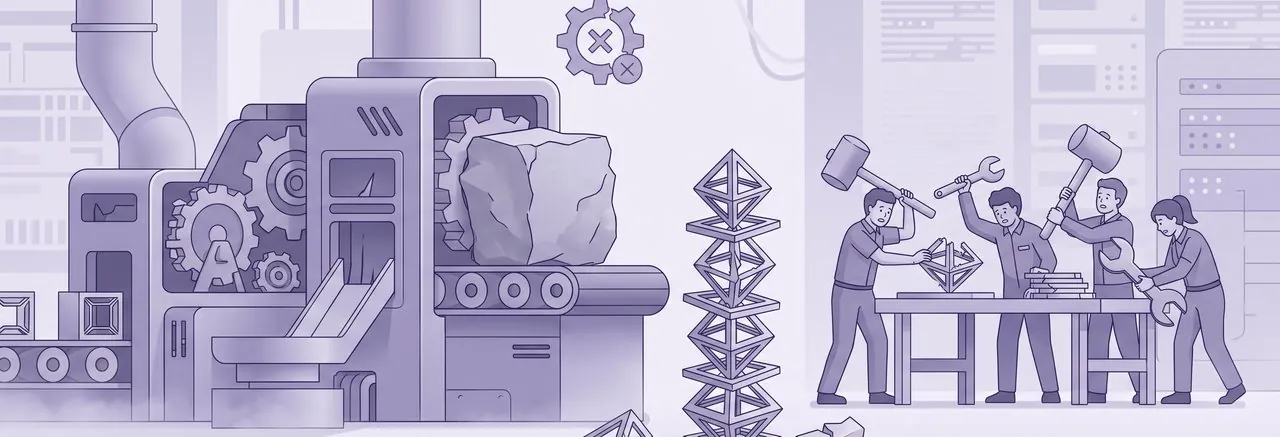
When signup breaks, the natural response is for staff to create accounts by hand from emails and forms. It feels like good service, and it is sometimes the right stopgap. Nevertheless, it carries risks that can outlast the outage:
- Duplicates: the person’s half-created account already exists, so a second account under a different username or email splits their record, and someone later has to work out which one is real.
- Wrong defaults: manual accounts can skip the profile fields, policy acceptance and confirmation step that self-registration enforces, leaving gaps in consent records.
- No audit trail: for an association, who created an account and when can matter for membership records; for a private school, it matters for safeguarding and student records.
- Credentials by email: staff sending temporary passwords around is a security and privacy exposure.
- The backlog: once signup works again, manually created and half-created accounts are rarely reconciled unless someone owns the job.
Using Manual Creation Deliberately
If manual creation is the bridge, decide it on purpose. Give it one owner and one list, check for an existing account before creating another, and plan a reconciliation pass for when self-registration is back. In short, treat it as a bridge with an end date rather than a new process. When duplicates do need to go, the approach in deleting Moodle accounts without losing course history keeps the record intact.
What to Tell a New Family or Member Who Hit the Error

Effective communication is paramount when self-registration fails. The principle guiding this communication is simple: the person who saw the error has done nothing wrong, and their account likely already exists. The message should reassure them and guide their next steps, rather than asking them to try again.
Crafting a Clear Message
A good message to affected users should be concise, empathetic, and actionable. It needs to cover several key points:
- Acknowledgement: Start by acknowledging that the signup process experienced a problem.
- Reassurance: Reassure them that their account may have been created despite the error.
- Next steps: Provide one clear action they should take, such as using the forgotten-password option or waiting for staff to confirm their account.
- Contact information: Clearly state who to contact if they need immediate assistance.
- Resolution timeline: Offer a realistic timeframe for when the issue will be fully resolved.
The tone should be plain, specific, and free of technical jargon. It should avoid any hint of blame toward the user. If the confirmation and welcome messages themselves are not arriving, that is a separate problem, covered in Moodle notifications not sending.
Where to Place the Message
The message needs to be prominently displayed in multiple locations to reach all affected individuals. Consider these placements:
- Signup page and site front page: A clear notice should be posted directly on the self-registration page and the main site front page. This prevents further attempts and manages expectations.
- Admissions or membership inbox auto-reply: Configure an automated reply for admissions or membership inquiry email addresses. This ensures immediate information delivery to those who reach out.
- Direct note to affected individuals: The half-created accounts from the affected period constitute a ready-made contact list. Send a direct email to these individuals to inform them of the situation and their account status.
A private school might phrase it this way: “We understand you ran into a problem joining our Moodle portal. Your account may already have been created, so please use the ‘forgotten password’ link to check, or contact admissions if you need help.”
An association, by contrast, is writing to someone with a date to meet: “Our new member registration had a temporary problem. Your account may already exist, so please use the ‘forgotten password’ link to reach it, or contact member services and we will make sure your renewal is not affected.”
When to Bring in Outside Moodle Support

Although Moodle 5.2 self-registration issues come down to one missing file, diagnosing and resolving the underlying compatibility issue is specialized developer work. For a school or association without an in-house Moodle developer, attempting to debug this during a critical enrolment or membership window carries significant risk.
The Honest Test for Internal Capacity
The core problem in the Moodle 5.2 self-registration issue is identifying which specific add-on (plugin, theme, or custom code) still expects the old Mustache library structure. This requires deep knowledge of Moodle’s architecture and the ability to trace dependencies. Once identified, a decision must be made: update the add-on, replace it with a compatible alternative, or remove it entirely.
This process requires careful planning and execution. The whole signup path must be confirmed afterwards. This is not a task for an IT generalist in a high-stakes environment.
What to Look for in Support
When seeking outside Moodle support, focus on providers with specific expertise in complex Moodle upgrades and custom environments. Look for:
- Moodle 5.x upgrade experience: Ensure they have a proven track record with recent Moodle versions and the specific challenges they present.
- Plugin and theme audit capability: They should be willing to audit your entire plugin and theme inventory against your target Moodle version before the next upgrade.
- Staging environment rehearsal: The support team should insist on rehearsing the upgrade and full new-user signup process on a staging copy with real data. This identifies issues in a safe environment.
- Clear ownership and follow-up: A clear owner for the fix and any necessary follow-up cleanup of duplicate accounts or data inconsistencies is essential.
It is important to remember that if your hosting provider ran the upgrade, their responsibility typically covers Moodle core. They may not be responsible for every custom add-on your site has installed. For a comprehensive guide on support options, explore Moodle support options.
A robust Moodle maintenance strategy also includes proactive planning for such scenarios.
How Mindfield Helps with Moodle 5.2 Self-Registration Issues
Mindfield works with private schools and professional associations to find the add-on that breaks signup on Moodle 5.2 and decide whether to update, replace or retire it. We audit plugins and themes against the target version before the next upgrade, so compatibility gaps show up on paper rather than on a new family’s screen. We also rehearse the upgrade on a staging copy of the site, including a real new-user signup through to the confirmation email. Then we help reconcile the half-created and duplicate accounts the outage left behind.
Frequently Asked Questions (FAQs)
This article may contain conceptual illustrations to help support the article content.
