

Accessibility isn’t just about checking a compliance box, it is about giving every learner a fair chance to succeed. Whether someone uses a screen reader, needs captions, or depends on clear structure to navigate a course, accessibility shapes how people experience learning online. When it’s done right, it removes frustration and opens up education for everyone. For organizations using Moodle, understanding accessibility standards like WCAG 2.1 is key to creating an inclusive learning environment that works for all users, not just most.
In this article, we explore how WCAG 2.1 levels apply to Moodle, what compliance really means, and how to improve your site’s accessibility for better learning experiences and stronger performance.
Working with Mindfield is a life changing experience. From Product knowledge to technical expertise the team has gone above and beyond the call of duty more times then I can count.
Greg Shorland
Funeral Learning Hub
Outline
-
-
Understanding WCAG 2.1: Levels A, AA, and AAA
-
Why Accessibility Compliance Matters
-
Minimum Accessibility Level for LMS Platforms
-
Moodle’s Accessibility Position
-
Top Moodle Themes for Accessibility
-
Accessible vs. Inaccessible Design
-
Improving and Maintaining Accessibility
-
Elevate Moodle’s Accessibility Score with Moodle Experts
-
Frequently Asked Questions (FAQs)
-
Understanding WCAG 2.1: Levels A, AA, and AAA
- Purpose and framework
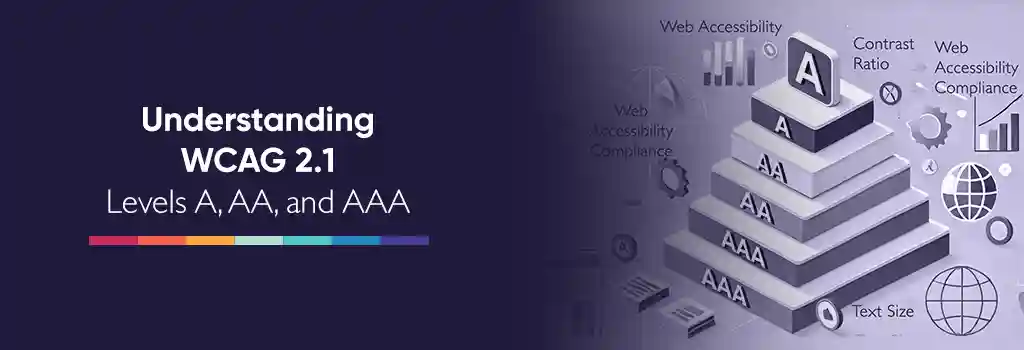
- Level A – essential requirements
- Focuses on fundamental usability: images need alt text, forms must have labels, and navigation should work through keyboard controls.
- Failing Level A makes content entirely inaccessible to some users.
- Level AA – practical compliance
- Addresses broader usability barriers such as contrast, text resizing, and captions.
- Examples include maintaining at least 4.5:1 contrast ratio and providing descriptive link text. (accessibleweb.com)
- This is the standard most education institutions and platforms implement.
- Level AAA – advanced inclusion
- Aims for the highest accessibility outcomes, such as enhanced contrast (7:1+), sign language interpretation, and simplified language.
- AAA compliance is aspirational; not every content type can meet all criteria.
Why Accessibility Compliance Matters
- Legal responsibility
- Education technology platforms must meet accessibility laws based on WCAG 2.1 AA.
- United States: ADA Title II and Section 508. (ada.gov)
- European Union: EN 301 549. (etsi.org)
- UK, Canada, Australia: All enforce WCAG 2.1 AA under national accessibility regulations. (w3.org/wai/policies)
- Education technology platforms must meet accessibility laws based on WCAG 2.1 AA.
- Risk and cost
- Non-compliance leads to legal action, public complaints, and forced remediation.
- Retrofitting accessibility later increases development costs significantly.
- User experience and conversion
- Inclusive design improves navigation, readability, and performance for all learners.
- Faster access and clear structure drive better engagement and higher course completion rates.
- Accessibility lawsuits
- In the United States, there has been a growing trend of accessibility-related lawsuits where specialized law firms target organizations and educational institutions for non-compliance. These cases often serve as a scare tactic to secure settlements, but diligent adherence to accessibility standards and proactive remediation largely protect organizations from such risks.
Minimum Accessibility Level for LMS Platforms
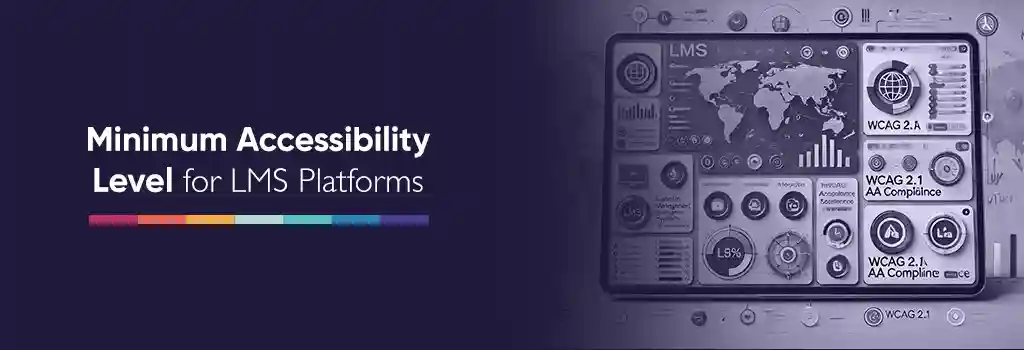
- Global baseline: WCAG 2.1 AA
- WCAG 2.1 AA is the recognized minimum compliance level for all major LMSs. (section508.gov)
- It provides the right balance between achievable standards and broad accessibility coverage.
- Regional mandates
| Region | Regulation | Minimum WCAG Level | Applies To |
|---|---|---|---|
| United States | ADA Title II & Section 508 | WCAG 2.1 AA | Education, government |
| European Union | EN 301 549 | WCAG 2.1 AA | Public institutions |
| United Kingdom | Equality Act 2010 | WCAG 2.1 AA | Public sector education |
| Canada | Accessible Canada Act | WCAG 2.1 AA | Federal programs |
| Australia | Disability Discrimination Act | WCAG 2.1 AA | Government and education |
| LMS | Compliance Level | VPAT / Statement |
|---|---|---|
| Moodle | WCAG 2.1 AA | docs.moodle.org/en/VPAT |
| Canvas | WCAG 2.1 AA | instructure.com/accessibility |
| Blackboard | WCAG 2.1 AA | help.blackboard.com/Accessibility |
| D2L Brightspace | WCAG 2.1 AA | d2l.com/accessibility |
Moodle’s Accessibility Position
- Core compliance
- Moodle 4.x follows WCAG 2.1 AA after external audit. (moodle.com)
- Accessibility is embedded into Moodle’s core interface, navigation, and editor tools. (moodledev.io)
- Themes and plugins
- Moodle’s default Boost and Classic themes support AA-level conformance.
- When using highly customized themes, make sure what level of accessibility compliance it supports.
- Review plugins carefully, as poor coding or missing ARIA (Accessible Rich Internet Applications) roles often cause compliance breaks.
- Beyond AA
- Some AAA criteria like advanced contrast or audio descriptions are still partially implemented in Moodle.
- Moodle’s roadmap continues to align with WCAG 2.2 standards.
Top Moodle Themes for Accessibility
Choosing an accessibility-ready theme is one of the most effective ways to maintain WCAG 2.1 AA compliance in Moodle. A well-designed theme supports screen readers, proper heading hierarchy, sufficient color contrast, and clear keyboard navigation. Below are some of the most commonly used Moodle themes rated for their accessibility strengths.
| Theme | Accessibility Focus | Accessibility Rating | Notes |
|---|---|---|---|
| Boost | Core Moodle theme designed for WCAG 2.1 AA compliance. | High | Default theme in Moodle 4.x, maintained by Moodle HQ. Offers consistent navigation, ARIA support, and strong color contrast. |
| Classic | Simple, lightweight, and accessible layout. | High | Based on Moodle’s legacy design but remains reliable for keyboard and screen reader users. |
| Adaptable | Flexible theme with accessibility customization options. | Moderate–High | Supports custom color schemes and font scaling; some user configuration needed for optimal contrast. |
| Fordson | Education-focused theme with modern design. | Moderate | Visually rich interface but may require manual tuning to meet full AA contrast ratios. |
| RemUI | Commercial theme offering modern UI and analytics tools. | Moderate | Good usability and structure, but review ARIA roles and contrast in certain layouts. |
| Moove | Clean, mobile-friendly theme with clear visual hierarchy. | High | Well-maintained and accessible, supports good heading structure and responsive design. |
Important: When selecting or customizing a Moodle theme, always test for WCAG 2.1 AA compliance using automated tools such as axe, WAVE, or Lighthouse, and include manual testing with screen readers like NVDA or JAWS.
Accessible vs. Inaccessible Design
| Area | Inaccessible Example | Accessible Example |
|---|---|---|
| Structure | Headings styled with bold text only | Proper <h1>–<h3> structure for navigation |
| Color contrast | Light grey text on white | Text with contrast ≥ 4.5:1 |
| Links | Generic “Click here” | Descriptive text such as “Open Course Outline” |
| Images | Missing or vague alt attributes | Meaningful alt text describing the image |
| Videos | No captions | Closed captions and transcript provided |
| Forms | Inputs without labels | <label> or aria-label attached to each field |
| Navigation | Hidden focus indicator | Visible focus and logical tab order |
Improving and Maintaining Accessibility
- Theme management
- Use core Moodle themes or accessible derivatives.
- When using highly customized themes, confirm their WCAG 2.1 AA compliance through testing and documentation.
- Content creation
- Train educators to apply heading hierarchy, alt text, and plain language.
- Use the built-in Accessibility Checker to review pages before publishing.
- Plugin validation
- Test each plugin with automated tools like axe or Lighthouse.
- Keep a plugin audit record that includes accessibility notes.
- Testing routines
- Schedule monthly accessibility scans and yearly manual audits.
- Validate key workflows with screen readers such as NVDA or JAWS.
- User participation
- Invite feedback from learners using assistive technology.
- Document reported barriers and track fixes publicly.
- Governance and policy
- Create an internal accessibility guideline referencing WCAG 2.1 AA.
- Assign a responsible person or team to oversee continuous compliance.
- AAA enhancements
- Add audio descriptions for critical video content.
- Offer text simplification or visual summaries for complex topics.
- Provide extended time settings for timed assessments.
- Performance alignment
- Maintain lightweight markup and minimize scripts that disrupt assistive tools.
- Optimize images and layouts without removing descriptive elements.
- Transparency and documentation
- Publish an accessibility statement detailing your site’s conformance level and open issues.
- Provide a simple channel for users to report accessibility concerns.
Elevate Moodle’s Accessibility Score with Moodle Experts
- Expert Audit and Gap Analysis
- Moodle experts perform a comprehensive accessibility audit, identifying gaps in themes, plugins, and course content.
- Benefit: Saves time by quickly highlighting problem areas that may take internal teams weeks to discover.
- Customized Theme and Plugin Optimization
- Experts ensure your themes and plugins comply with WCAG 2.1 AA and integrate best practices without breaking functionality.
- Benefit: Maintains a visually appealing platform while achieving accessibility compliance.
- Content Structuring and Authoring Guidance
- Moodle specialists train instructors and content creators to:
- Use proper headings and semantic markup.
- Apply descriptive alt text and link labeling.
- Provide captions, transcripts, and other accessible media.
- Benefit: Improves user experience and engagement, reducing course drop-offs.
- Moodle specialists train instructors and content creators to:
- Automated and Manual Testing
- Experts deploy tools like axe, WAVE, and Lighthouse, and conduct screen reader tests.
- Benefit: Detects subtle accessibility issues before they affect learners, ensuring robust compliance.
- Continuous Monitoring and Maintenance
- Moodle experts set up ongoing accessibility checks and update processes for new content or platform changes.
- Benefit: Keeps your site compliant over time, avoiding costly retrofits and potential legal issues.
- AAA-Level Enhancements
- For organizations targeting advanced accessibility, experts implement:
- High-contrast interfaces, audio descriptions, and simplified content options.
- Extended time for assessments and interactive accessibility features.
- Benefit: Positions your organization as an inclusive leader in online learning.
- For organizations targeting advanced accessibility, experts implement:
- Regulatory Compliance and Documentation
- Experts prepare clear accessibility statements, VPATs, and audit reports.
- Benefit: Demonstrates compliance to stakeholders, including students, auditors, and governing bodies.
- Time and Resource Efficiency
- Outsourcing accessibility to Moodle professionals frees internal teams to focus on core teaching and learning tasks.
- Benefit: Accelerates compliance while reducing internal workload and overhead costs.
Accessibility is an ongoing commitment, not a one-time task. It grows as your content, design, and learners evolve. Moodle already gives you a strong foundation to meet WCAG 2.1 AA standards, but real impact comes from consistent efforts, testing, improving, and involving the right people. Working with Moodle experts helps you move faster and with confidence, knowing your platform not only meets legal requirements but truly supports every learner. Accessibility done right doesn’t just meet standards, it builds trust, drives engagement, and strengthens your organization’s reputation for inclusive learning.
