

As online assessments become more common, administrators and academic teams often ask whether Moodle can detect when a learner switches browser tabs during a quiz. This question usually appears after concerns about cheating, unusually strong results, or pressure from regulators or accreditation bodies.
At first glance, tab switching feels like something a modern learning platform should be able to track. In practice, the situation is far more complex. The answer depends not only on Moodle itself, but also on how modern browsers are designed, how privacy rules are enforced, and what kind of evidence institutions can reasonably rely on.
This article explains what tab switching really means in technical terms, why Moodle cannot reliably detect it, what information Moodle actually logs, and how experienced teams reduce cheating risks without relying on fragile or invasive tracking.
I am Director of Rahab Ministry (a program of Youth Unlimited). We are impressed with Mindfield’s IT specialists in helping us redesign a website (Rahab.yugta.ca) and their ongoing support. They were responsive and helped us think ahead instead of waiting for us to tell them what needed to be done. We will continue to look forward to their support.
Joanna Yee
Director, Rahab Ministry.
review Source: Google Reviews
Outline
-
-
What “Tab Switching” Technically Means
-
Browser Limitations and Privacy Constraints
-
What Moodle Logs vs What It Does Not
-
Workarounds Using Safe Exam Browser and Proctoring Tools
-
Designing Assessments That Reduce Tab Switching Cheating
-
Strengthening Quiz Security Beyond Tab Switching
-
From Policing Behavior to Designing Integrity
-
Frequently Asked Questions(FAQs)
-
What “Tab Switching” Technically Means
When people talk about tab switching, they often imagine a simple and obvious action that a system can easily record. Technically, however, tab switching only means that the browser focus moves away from the current page to another tab, window, or application.
From the perspective of a website like Moodle, this action is surprisingly ambiguous. A loss of focus could occur for many reasons that have nothing to do with cheating. The learner might receive a system notification, adjust audio settings, respond to accessibility tools, or accidentally click outside the browser window.
Even when a browser reports that a page has lost focus, it does not reveal what the learner did next. Moodle cannot see whether the learner opened notes, searched the web, or simply checked the time. The platform only knows that the quiz page is no longer the active view.
This distinction is critical. A technical signal that focus changed does not equal evidence of dishonest behavior. Treating it as such often creates more problems than it solves.
Browser Limitations and Privacy Constraints
Modern browsers are intentionally designed to prevent websites from monitoring user activity beyond their own page. These restrictions are not accidental limitations but core privacy protections.
Browsers do not allow a website to inspect other tabs, record screen contents, track keyboard activity outside the page, or identify which applications are running on the device. Even basic focus change events are handled inconsistently across browsers and operating systems.
For example, a focus event may fire when a user switches tabs, but it may also fire when the browser is minimized, when a virtual keyboard appears, or when accessibility tools adjust the interface. On mobile devices, focus behavior can differ entirely from desktop environments.
Because of these constraints, any attempt to infer cheating from tab switching data would be unreliable, inconsistent, and legally risky. Moodle respects these boundaries and does not attempt to bypass browser privacy models.
What Moodle Logs vs What It Does Not
Moodle uses a server side logging model focused on academic traceability rather than behavioral surveillance. Its logs are designed to answer questions like when a quiz was started, how answers changed, and when an attempt was submitted.
Moodle can reliably log quiz attempts, question navigation, answer modifications, submission timestamps, and session interruptions. These logs are useful for identifying patterns such as unusually fast completions or repeated reconnects.
What Moodle does not log is equally important. It does not record browser tab changes, visits to external websites, clipboard destinations, screen activity, or application switching. None of this information is available to Moodle in a reliable or compliant way.
This often surprises administrators who assume that advanced logging must include detailed user behavior. In reality, Moodle intentionally avoids collecting data that cannot be verified or defended in academic or legal contexts.
Workarounds Using Safe Exam Browser and Proctoring Tools
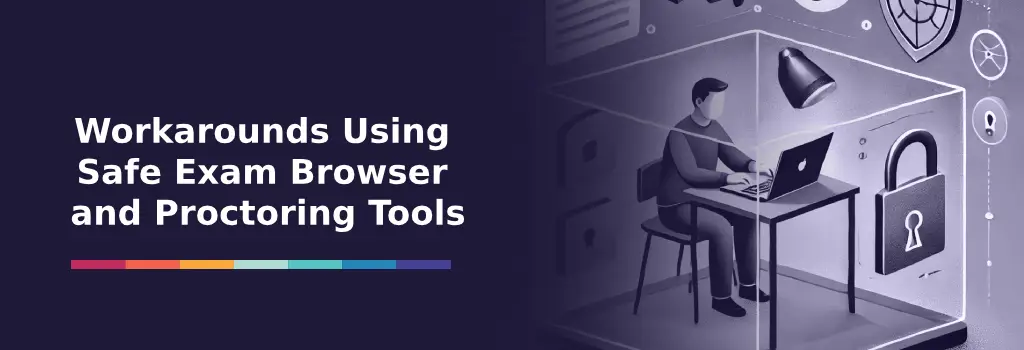
When institutions require stronger control over the testing environment, they usually rely on external tools rather than native Moodle features.
Safe Exam Browser is one such option. It creates a locked down environment that restricts access to other tabs, websites, and applications during an exam. In controlled settings, this can be an effective deterrent.
However, Safe Exam Browser introduces practical challenges. It requires compatible devices, careful setup, and technical support. It is often unsuitable for remote learners using personal devices or mixed operating systems.
Online proctoring tools offer another layer of control. These tools may include webcam monitoring, screen recording, and automated behavior analysis. While they can flag suspicious activity, they also raise serious concerns around privacy, consent, and data protection.
Experienced teams understand that these tools should be used selectively. They are best reserved for exams where the risk level clearly justifies the operational and legal complexity.
Designing Assessments That Reduce Tab Switching Cheating
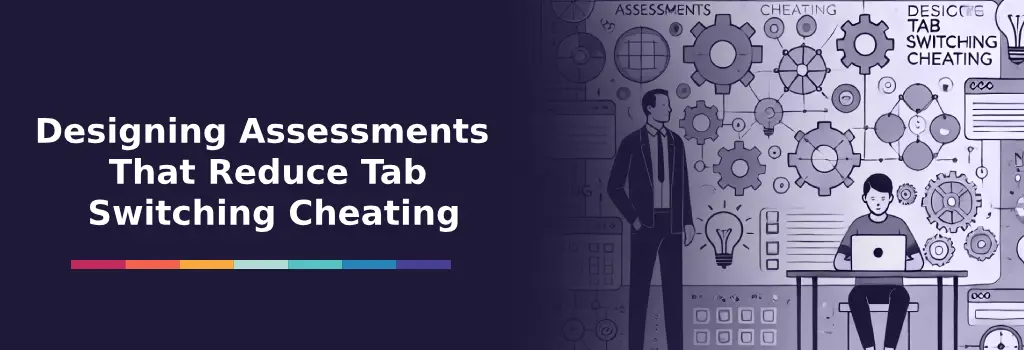
Rather than focusing on detecting tab switching, many successful Moodle implementations focus on reducing the incentive to switch tabs in the first place.
Assessment design plays a far greater role in integrity than technical monitoring. Questions that require reasoning, interpretation, and application are much harder to answer by quickly searching external sources.
Large question banks with random selection ensure that no two learners receive the same set of questions. Time limits can reduce the usefulness of external lookups without creating unnecessary stress. Scenario based questions reward understanding rather than memorization.
In many cases, open resource assessments are explicitly designed so that switching tabs provides no advantage. When assessments align with real world skills, the need for surveillance decreases dramatically.
Example: Designing an Open-Resource Quiz That Neutralizes Tab Switching
Consider a compliance training course for healthcare managers.
Instead of asking: “What is the maximum allowable data retention period under Regulation X?” Which can be answered instantly through a quick search,
The quiz instead presents: “A clinic stores patient data in three separate systems with inconsistent retention policies. Review the scenario and identify two compliance risks. Then recommend a corrective action plan based on Regulation X.”
In this format:
-
Learners must interpret a scenario
-
They must apply regulatory principles
-
Answers require structured reasoning
-
Multiple acceptable responses may exist
Even if a learner switches tabs to review documentation, they still must analyze, synthesize, and justify their response.
This shifts the assessment from recall to applied competence.
In such cases, tab switching provides no meaningful shortcut. The design itself protects integrity.
Strengthening Quiz Security Beyond Tab Switching

If your institution requires stronger exam controls, consider layered strategies beyond native Moodle logging.
You may also find these related articles helpful:
A comprehensive integrity approach often combines:
-
Large randomized question banks
-
Question behavior controls
-
Time-based restrictions
-
Safe Exam Browser (where appropriate)
-
Proctoring integrations for high-stakes exams
-
Clear academic honesty policies
Institutions that combine technical configuration with thoughtful assessment design achieve stronger results than those relying solely on monitoring signals.
From Policing Behavior to Designing Integrity
Hiring a Moodle expert shifts assessment integrity from reactive monitoring to intentional system design. Rather than chasing unreliable signals like tab switching, experienced specialists help institutions understand what Moodle data can truly support and where assumptions become risky. They interpret logs correctly, align technical evidence with academic or regulatory standards, and prevent integrity decisions that cannot be defended when challenged.
Beyond analysis, Moodle experts redesign assessments so integrity is embedded into the learning architecture itself. Through question bank strategies, time controls, grading logic, and assessment structure, they reduce the value of external lookups without harming learner trust. This balanced approach protects academic credibility, respects privacy expectations, and results in a system that scales confidently without relying on fragile surveillance techniques.
